Marks CRM opportunities lost when all linked quotations are cancelled
Description
When every quotation linked to an opportunity is cancelled, the opportunity is marked lost (ribbon PERDIDO). The same check runs after the Cancel button and after a direct write of state Cancelado. A daily autovacuum repeats the scan as a fallback. Opportunities with no quotations are left alone.
Author
Cloudia
Copyright
Copyright (c) 2025-Present Cloudia Systems S.A.C.
License
OPL-1
Version
18.0.1.0
Dependencies
sale_crm
1. User instructions
There is no extra button. Use the normal quotation workflow.
Open the cotización linked to the opportunity.
Click Cancelar so the document reaches Cancelado.
If that was the last non-cancelled quotation, open the opportunity: the red ribbon PERDIDO appears and native lost handling runs.
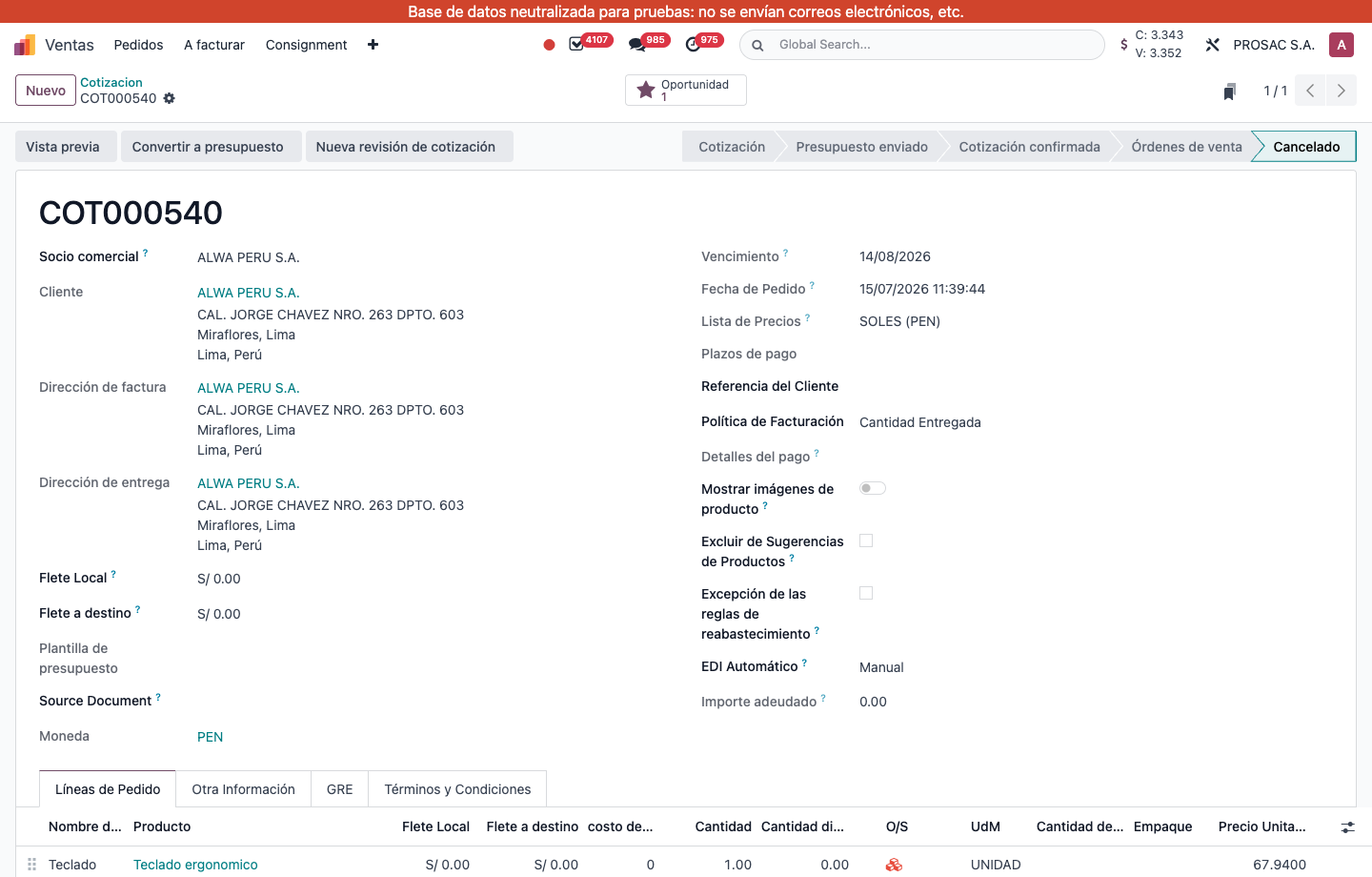
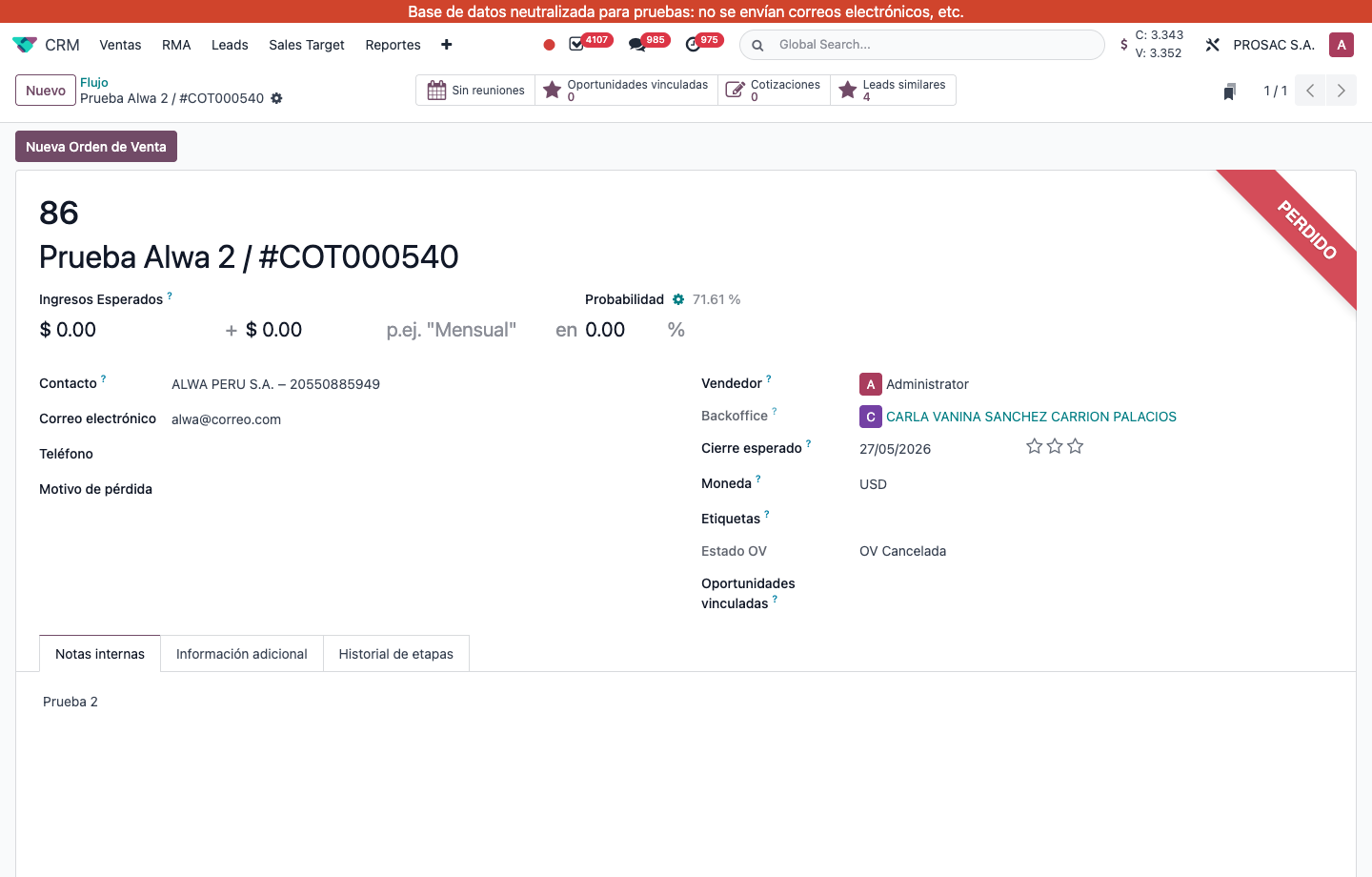
COT000540 in Cancelado, still linked through the Oportunidad smart button.Opportunity 86 Prueba Alwa 2 / #COT000540 with ribbon PERDIDO after its only quotation was cancelled. Estado OV shows OV Cancelada.
If another quotation of the same opportunity is still in Cotización, Presupuesto enviado, Cotización confirmada or Órdenes de venta, the opportunity stays open. Opportunities that never had a quotation are not marked lost.
The daily autovacuum (Base: Limpieza automática de datos internos) repeats the same rule for records missed by the cancel action. You do not need to run anything by hand.
Expiración de oportunidades de CRM
Nombre técnico: cs_crm_opportunity_expire
Nombre
CRM Opportunities Expiration
Resumen
Marca las oportunidades como perdidas cuando todas las cotizaciones vinculadas están canceladas
Descripción
Cuando todas las cotizaciones de una oportunidad están canceladas, la oportunidad pasa a perdida (cinta PERDIDO). La misma comprobación corre tras el botón Cancelar y tras escribir el estado Cancelado. Un autovacuum diario repite el barrido. Las oportunidades sin cotizaciones no se tocan.
Autor
Cloudia
Copyright
Copyright (c) 2025-Present Cloudia Systems S.A.C.
Licencia
OPL-1
Versión
18.0.1.0
Dependencias
sale_crm
1. Instrucciones de usuario
No hay un botón extra. Use el flujo normal de la cotización.
Abra la cotización vinculada a la oportunidad.
Pulse Cancelar para dejar el documento en Cancelado.
Si era la última cotización no cancelada, abra la oportunidad: aparece la cinta roja PERDIDO y corre el manejo nativo de pérdida.
COT000540 en Cancelado, aún vinculada con el botón Oportunidad.Oportunidad 86 Prueba Alwa 2 / #COT000540 con cinta PERDIDO tras cancelar su única cotización. Estado OV muestra OV Cancelada.
Si otra cotización de la misma oportunidad sigue en Cotización, Presupuesto enviado, Cotización confirmada u Órdenes de venta, la oportunidad permanece abierta. Las que nunca tuvieron cotización no se marcan perdidas.
El autovacuum diario (Base: Limpieza automática de datos internos) aplica la misma regla a lo que se haya escapado del botón Cancelar. No hay que ejecutar nada a mano.