1. User instructions
Keep Vendedor on the contact
- Open the company in Contactos.
- Go to Venta y compra.
- Set Vendedor under VENTAS.
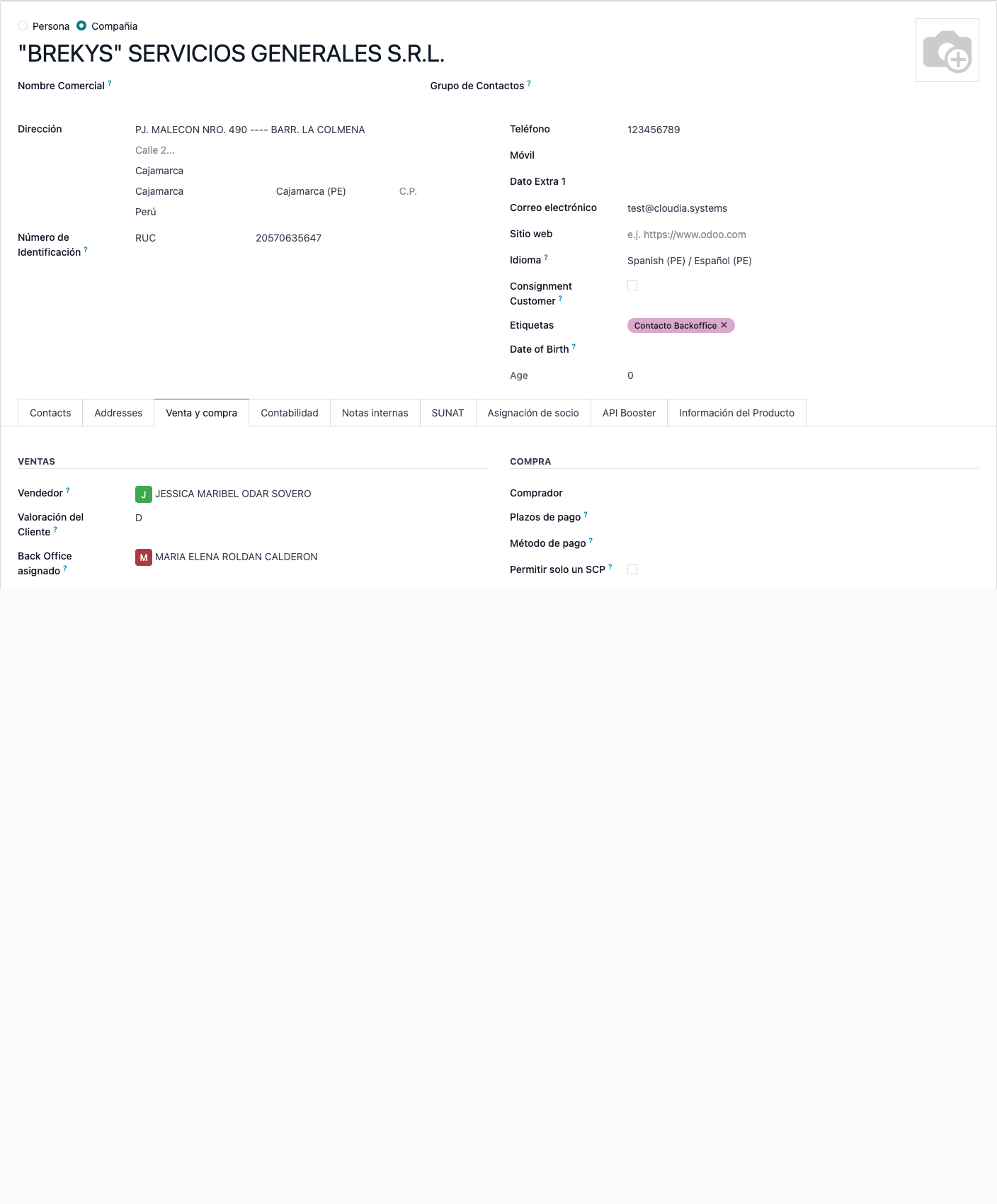 BREKYS: Vendedor JESSICA MARIBEL ODAR SOVERO on Venta y compra. Back Office asignado is a different field.
If the contact itself has no Vendedor, the commercial company's salesperson is used.
Create or change the opportunity
- In CRM, create an opportunity and choose the Contacto.
- Vendedor fills from that contact (or its company) unless you already picked someone else.
- Changing Contacto later also updates Vendedor if you do not set the salesperson in the same save.
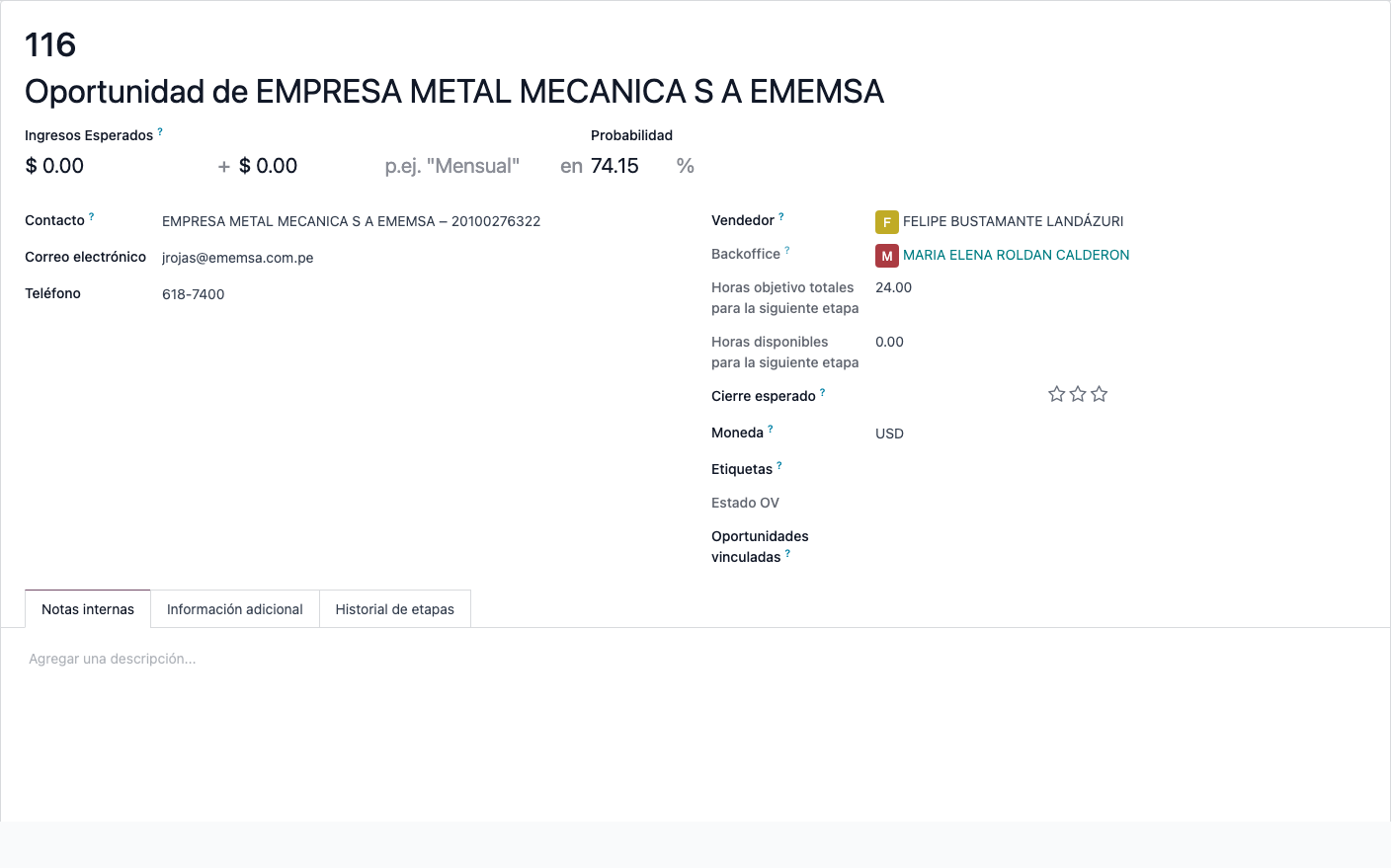 Opportunity 116: Vendedor FELIPE BUSTAMANTE LANDÁZURI, taken from the customer when the opportunity was created.
The module removes the usual “current user” default on Vendedor so the contact wins. You can still override it on the form.
1. Instrucciones de usuario
Mantener Vendedor en el contacto
- Abra la compañía en Contactos.
- Vaya a Venta y compra.
- Defina Vendedor en VENTAS.
BREKYS: Vendedor JESSICA MARIBEL ODAR SOVERO en Venta y compra. Back Office asignado es otro campo.
Si el contacto no tiene Vendedor, se usa el de la compañía comercial.
Crear o cambiar la oportunidad
- En CRM, cree una oportunidad y elija el Contacto.
- Vendedor se completa con el del contacto (o su compañía) salvo que ya haya elegido a otra persona.
- Si más tarde cambia el Contacto, también se actualiza Vendedor si no lo fija en el mismo guardado.
Oportunidad 116: Vendedor FELIPE BUSTAMANTE LANDÁZURI, tomado del cliente al crear la oportunidad.
El módulo quita el valor por defecto “usuario actual” de Vendedor para que gane el contacto. Aun así puede cambiarlo en el formulario.