Manage product brands linked to manufacturers and categories
Description
Manage product brands and link them to manufacturers, product categories and products, with access from inventory and sales.
Author
Cloudia
Copyright
Copyright (c) 2025-Present Cloudia Systems S.A.C.
License
OPL-1
Version
18.0.1.0
Dependencies
product
sale
stock
2. User instructions
Create a brand
Open Inventario → Productos → Marcas (same action from Ventas → Productos → Marcas). Breadcrumb: Marcas de productos. Managers and system users only.
Click Nuevo.
Set Nombre. Optional: Socio (company manufacturer/supplier; no quick-create), Imagen, tab Descripción.
On tab Categorías, add product categories. The brand + category pair must be unique.
Search filters: Con fabricante / Sin fabricante. Group by Fabricante. Column Socio is optional (hidden by default).
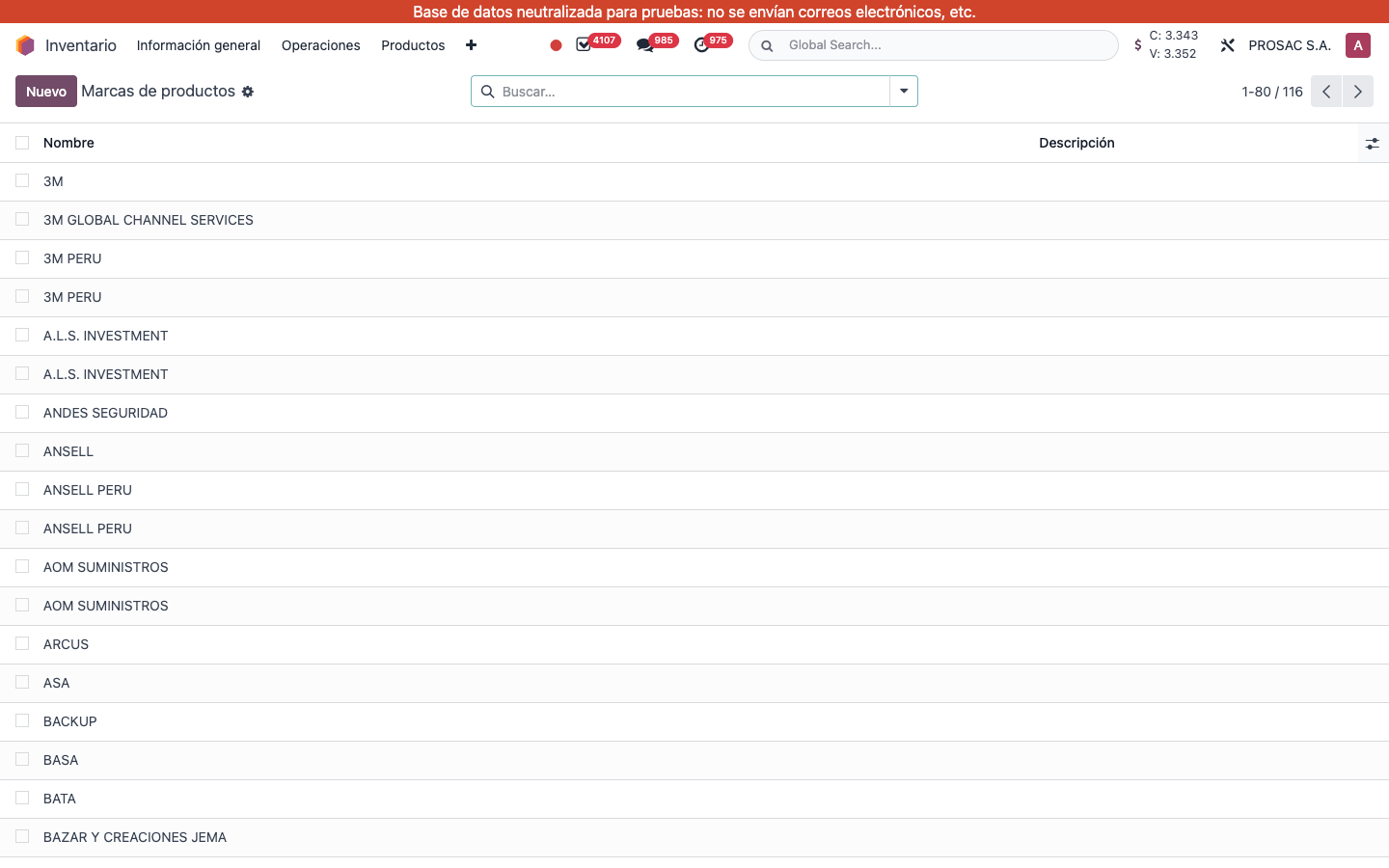
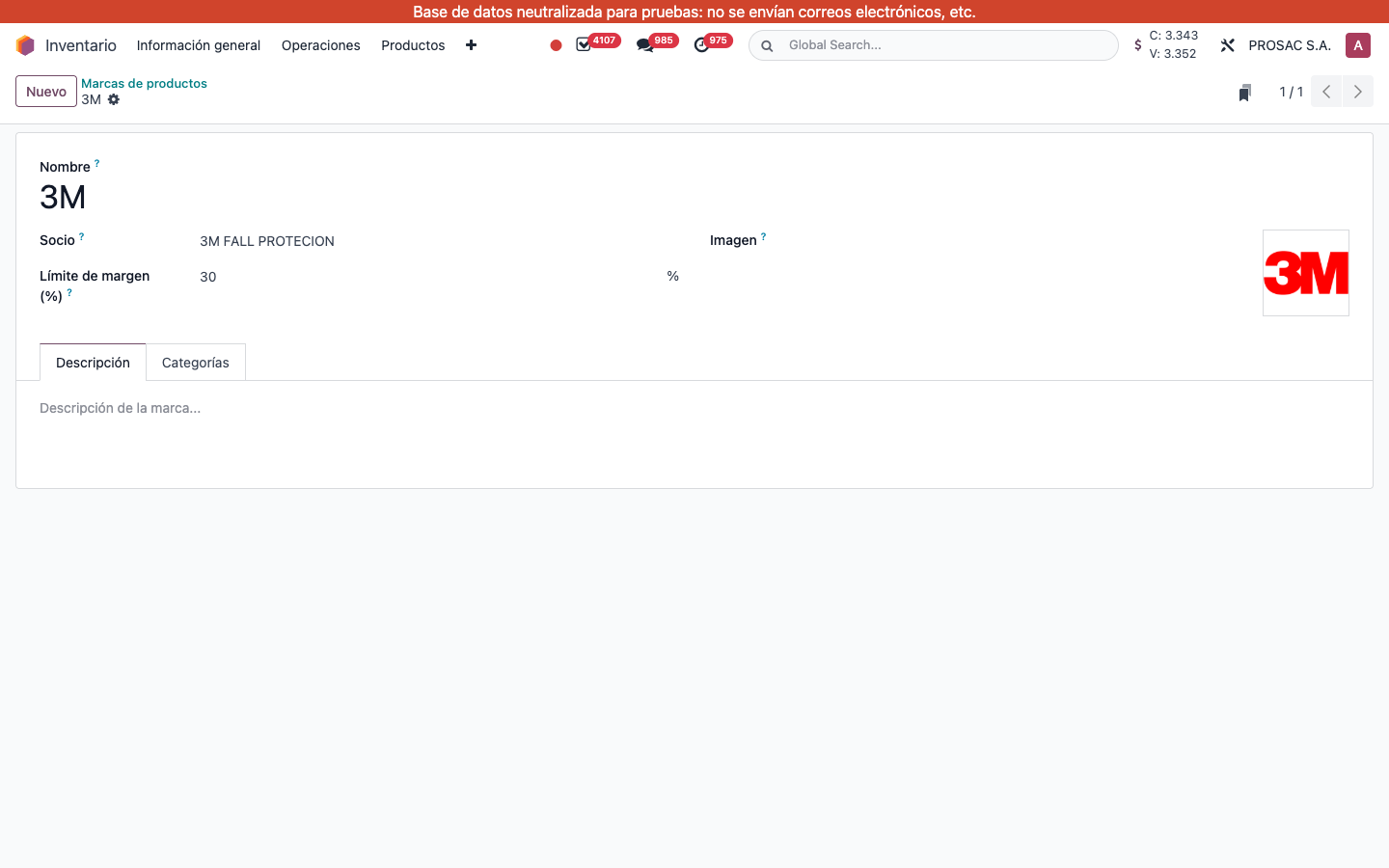
Inventario → Marcas de productos. Columns Nombre and Descripción. 116 brands on this database.Brand 3M. Socio is 3M FALL PROTECION, Imagen is the logo, tabs Descripción and Categorías. (Límite de margen is from another addon, not this one.)
Assign a brand on the product
Open the product template.
On Información General, set Marca (no quick-create). Fabricante fills from the brand’s Socio and stays read-only.
If the manufacturer contact has a country, the product country-of-origin field is set from it on change.
The brand image appears next to the product photo when the brand has an image.
On the product list, column Marca is shown by default; Fabricante is optional. Search and group by Marca or Fabricante.
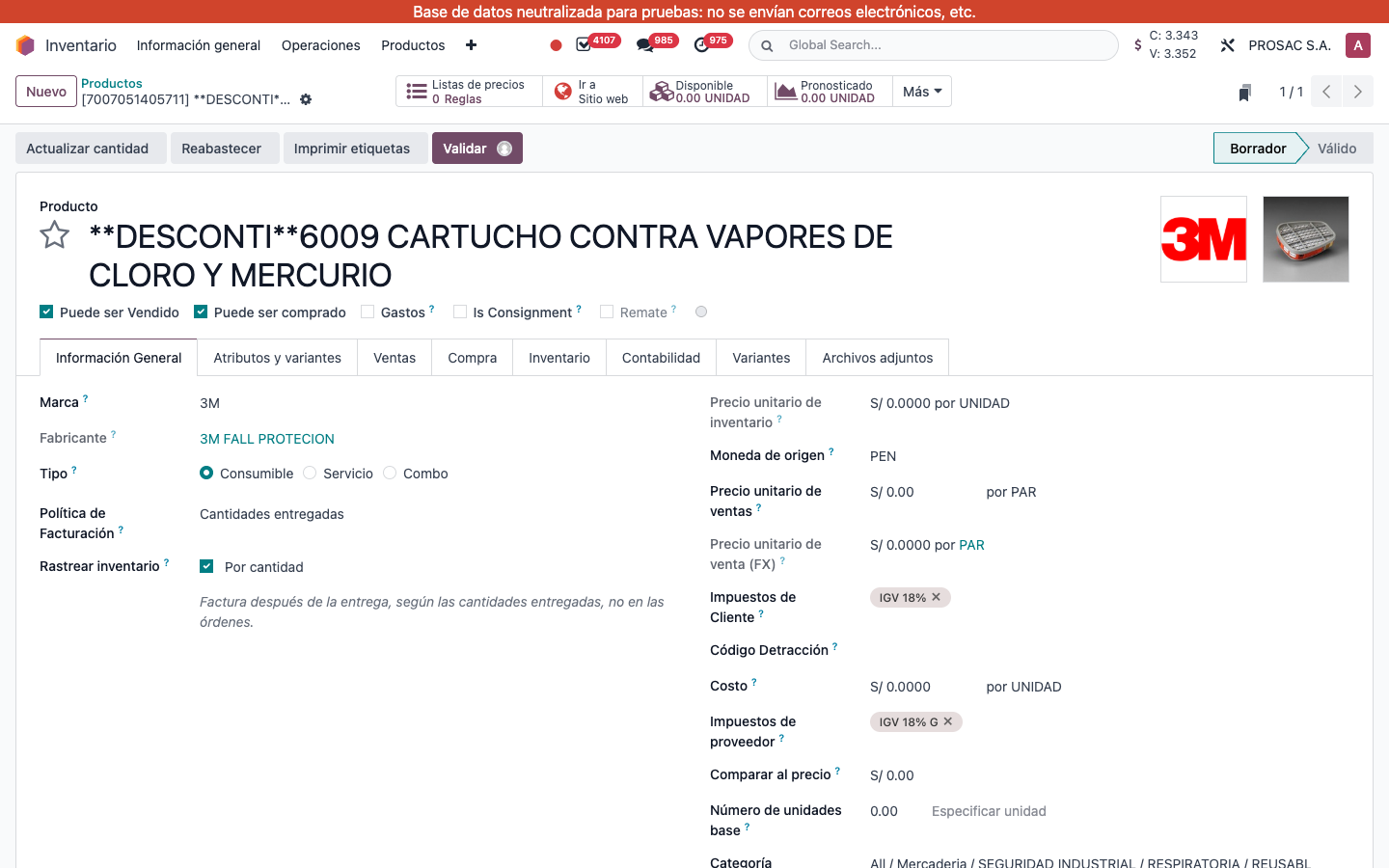
[7007051405711] 3M cartridge. Marca 3M, Fabricante 3M FALL PROTECION, brand logo beside the product image.
See brands on a category
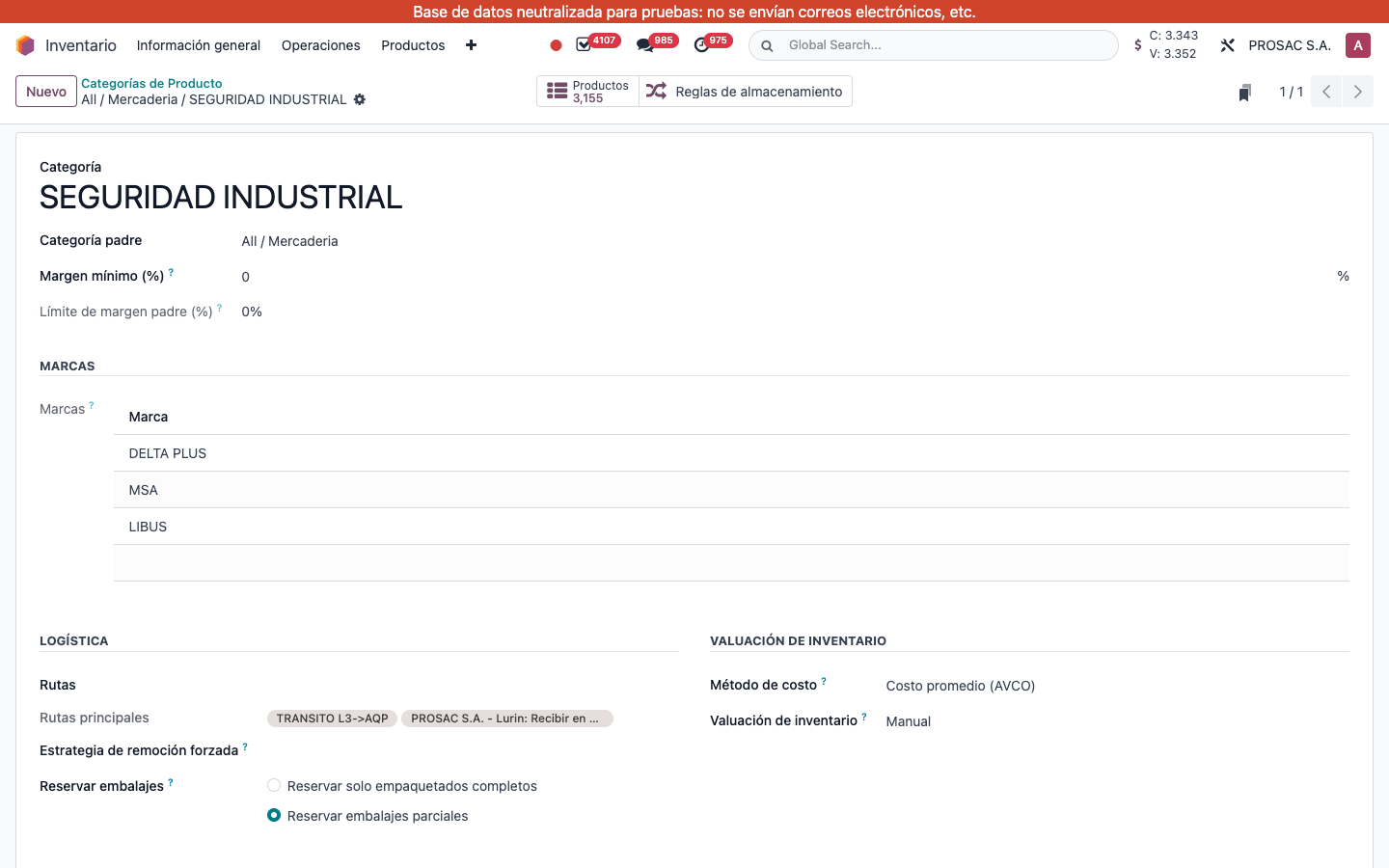
On the product category form, group MARCAS lists linked brands read-only (maintain the links from the brand).
Gestione marcas de producto vinculadas a fabricantes y categorías
Descripción
Gestione marcas de producto y vincúlelas a fabricantes, categorías y productos, con acceso desde inventario y ventas.
Autor
Cloudia
Copyright
Copyright (c) 2025-Present Cloudia Systems S.A.C.
Licencia
OPL-1
Versión
18.0.1.0
Dependencias
product
sale
stock
2. Instrucciones de usuario
Crear una marca
Abra Inventario → Productos → Marcas (igual en Ventas → Productos → Marcas). Migas: Marcas de productos. Solo gerentes y administradores.
Pulse Nuevo.
Indique Nombre. Opcional: Socio (compañía fabricante/proveedor; sin creación rápida), Imagen, pestaña Descripción.
En Categorías, agregue categorías. La pareja marca + categoría debe ser única.
Filtros: Con fabricante / Sin fabricante. Agrupar por Fabricante.
Inventario → Marcas de productos. Columnas Nombre y Descripción.Marca 3M. Socio 3M FALL PROTECION, Imagen del logo, pestañas Descripción y Categorías. (Límite de margen es de otro addon.)
Asignar la marca en el producto
Abra la plantilla del producto.
En Información General elija Marca. Fabricante se completa desde el Socio de la marca y queda de solo lectura.
Si el fabricante tiene país, se asigna el país de origen del producto al cambiar la marca.
La imagen de la marca aparece junto a la foto del producto.
En la lista, Marca se muestra por defecto; Fabricante es opcional. Busque y agrupe por Marca o Fabricante.
Cartucho 3M. Marca 3M, Fabricante 3M FALL PROTECION, logo de marca junto a la foto.
Ver marcas en la categoría
En el formulario de categoría, el grupo MARCAS lista las marcas vinculadas (solo lectura; el enlace se mantiene desde la marca).