Pick a commercial partner first, then restrict its contacts
Description
Adds a Commercial Partner field to sale quotations and orders so the customer, invoice and delivery contacts are picked from within that company, keeping the selected partners consistent with each other.
Author
Cloudia
Copyright
Copyright (c) 2025-Present Cloudia Systems S.A.C.
License
OPL-1
Version
18.0.1.0
Dependencies
sale
1. User instructions
No settings. On every cotización and orden de venta a field Socio comercial sits above Cliente. It lists only companies with no parent (is_company, no parent_id).
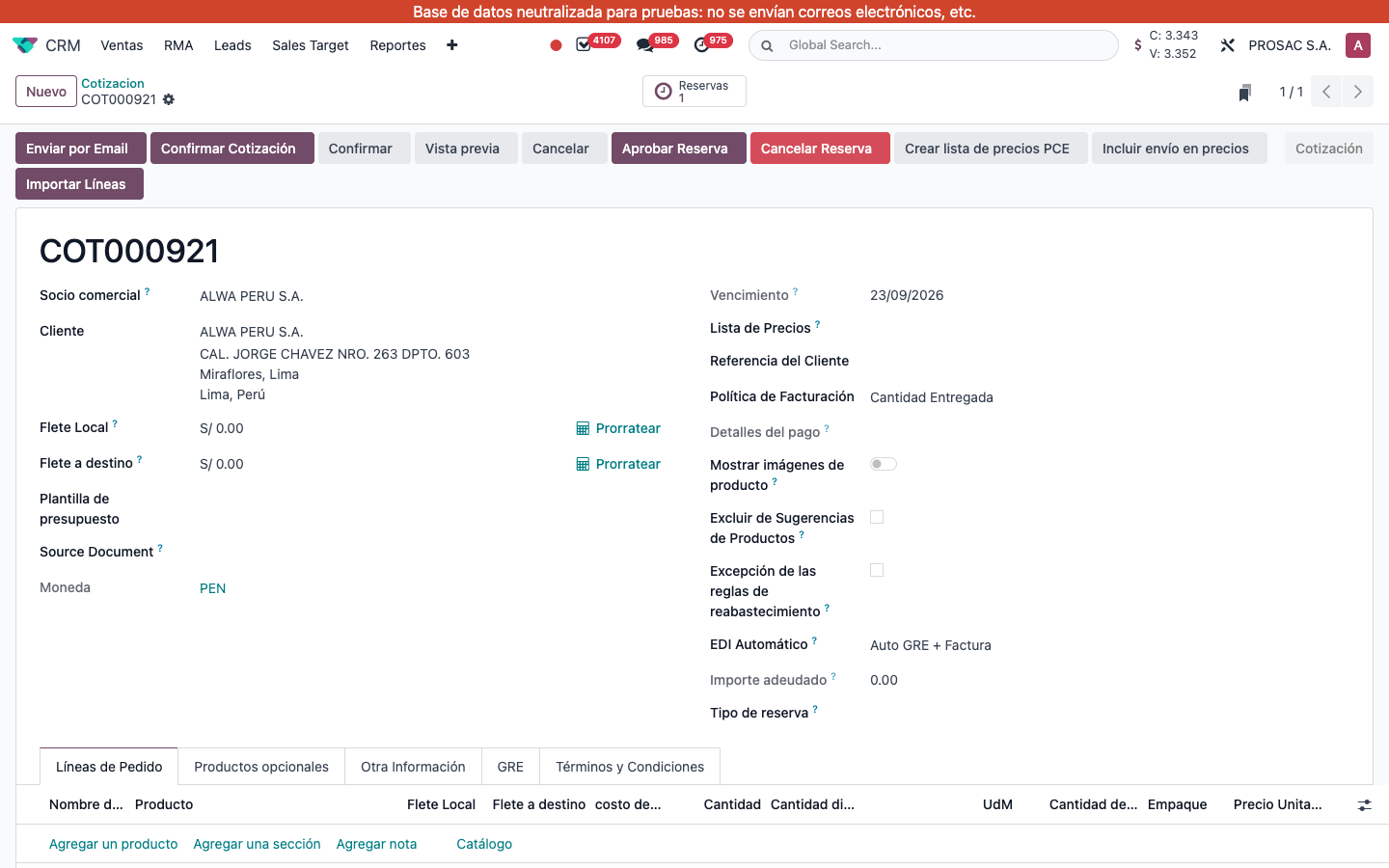
Open or create a cotización (example: COT000921).
Choose Socio comercial first (example: ALWA PERU S.A.). Cliente, Dirección de factura and Dirección de entrega are then limited to that company and its matching contacts (contact / invoice / delivery types).
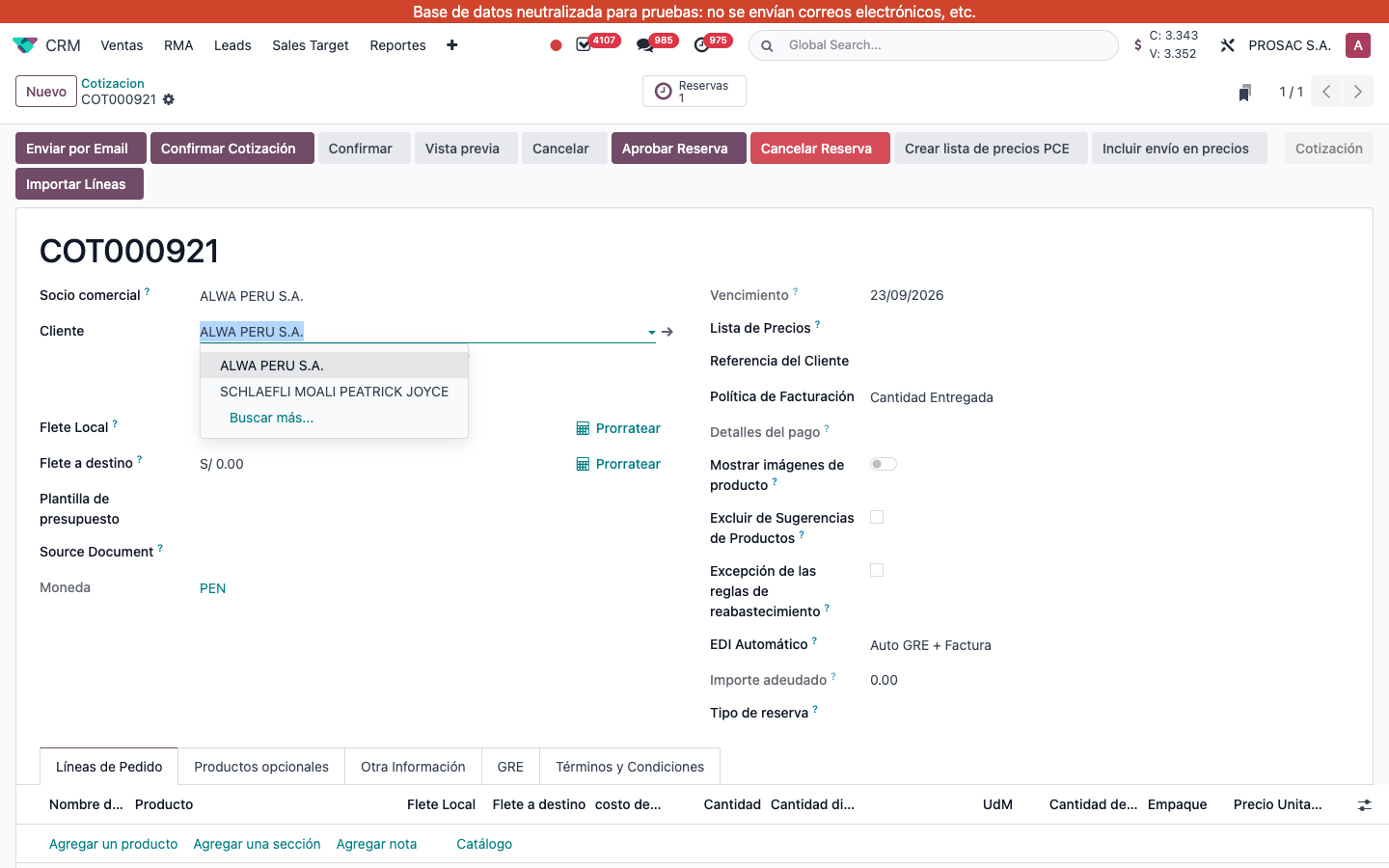
Or choose Cliente first: Socio comercial is filled from that contact’s company. Changing the commercial partner resets customer / invoice / delivery if they no longer belong to it.
COT000921. Socio comercial ALWA PERU S.A. above Cliente, Dirección de factura and Dirección de entrega.Cliente dropdown for the same cotización: ALWA PERU S.A. and contact SCHLAEFLI MOALI PEATRICK JOYCE (plus Buscar más…).
On create/write, if Cliente is set and Socio comercial is not, the commercial partner is stored automatically.
Venta: selección de socio comercial
Nombre técnico: cs_sale_partner_commercial
Nombre
Sale: Commercial Partner Selection
Resumen
Elija primero el socio comercial y luego restrinja sus contactos
Descripción
Agrega el campo Socio comercial a cotizaciones y órdenes de venta para que el cliente, la factura y la entrega se elijan dentro de esa compañía y queden consistentes entre sí.
Autor
Cloudia
Copyright
Copyright (c) 2025-Present Cloudia Systems S.A.C.
Licencia
OPL-1
Versión
18.0.1.0
Dependencias
sale
1. Instrucciones de usuario
No hay ajustes. En cada cotización y orden de venta el campo Socio comercial va encima de Cliente. Solo lista compañías sin padre (is_company, sin parent_id).
Abra o cree una cotización (ejemplo: COT000921).
Elija primero Socio comercial (ejemplo: ALWA PERU S.A.). Cliente, Dirección de factura y Dirección de entrega quedan limitados a esa compañía y a sus contactos del tipo correspondiente (contacto / factura / entrega).
O elija primero Cliente: Socio comercial se completa con la compañía de ese contacto. Si cambia el socio comercial, se reinician cliente / factura / entrega si ya no pertenecen a él.
COT000921. Socio comercial ALWA PERU S.A. encima de Cliente, Dirección de factura y Dirección de entrega.Desplegable de Cliente en la misma cotización: ALWA PERU S.A. y el contacto SCHLAEFLI MOALI PEATRICK JOYCE (más Buscar más…).
Al crear o escribir, si hay Cliente y no hay Socio comercial, el socio comercial se guarda solo.