Suggests and swaps substitute products for out-of-stock quotation lines
Description
Lets sales users define substitute products per product template and prompts a replacement wizard when a quotation or sales order line is out of stock.
Author
Cloudia
Copyright
Copyright (c) 2025-Present Cloudia Systems S.A.C.
License
OPL-1
Version
18.0.1.0
Dependencies
website_sale
sale
sale_stock
1. Configuration
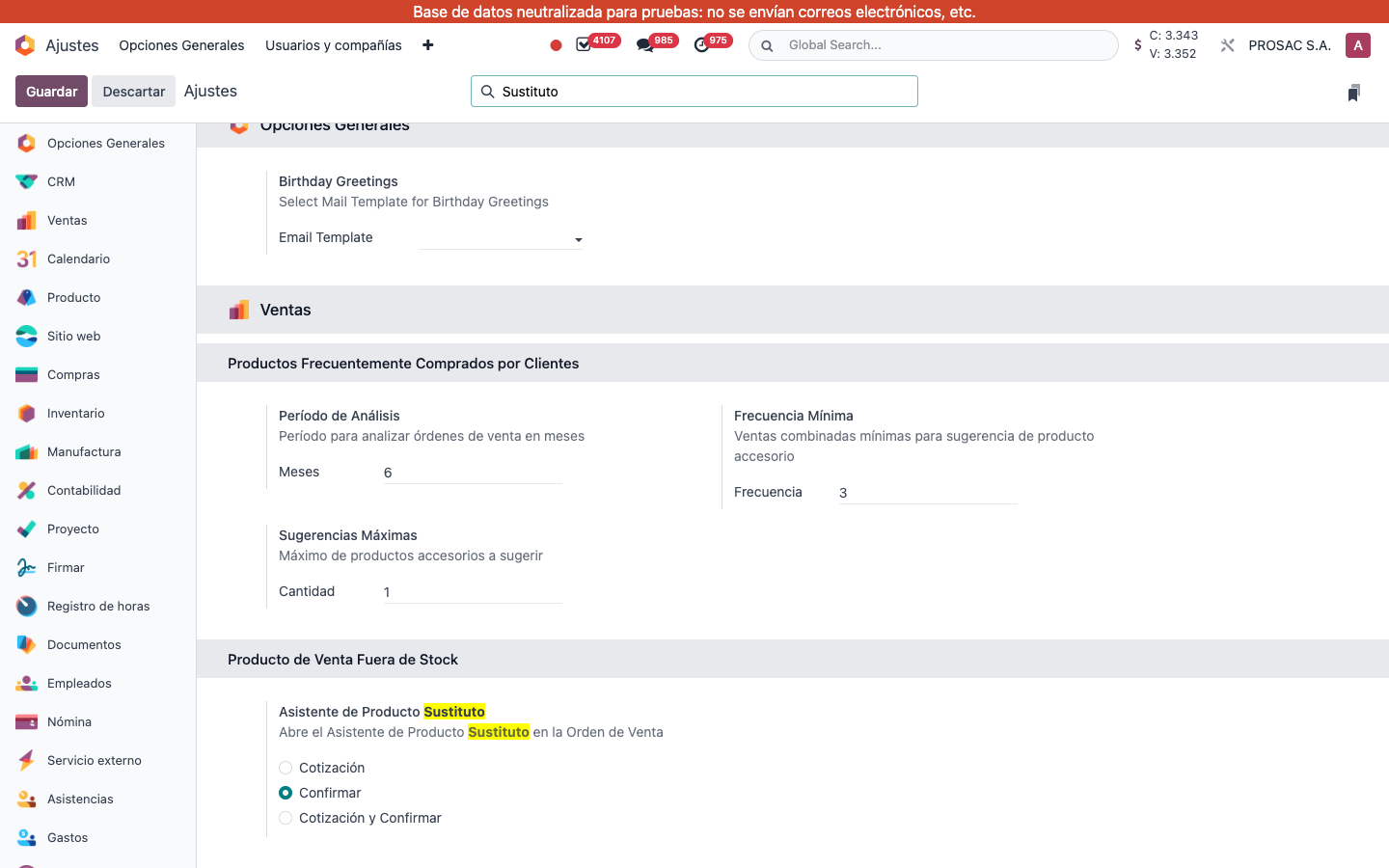
Open Ajustes and search Sustituto.
Under Ventas → Producto de Venta Fuera de Stock, set Asistente de Producto Sustituto (help: Abre el Asistente de Producto Sustituto en la Orden de Venta):
Cotización — when sending the quotation.
Confirmar — when confirming (live default).
Cotización y Confirmar — both.
Ajustes filtered by Sustituto. Radio Confirmar is selected.
2. User instructions
Define substitutes on the product
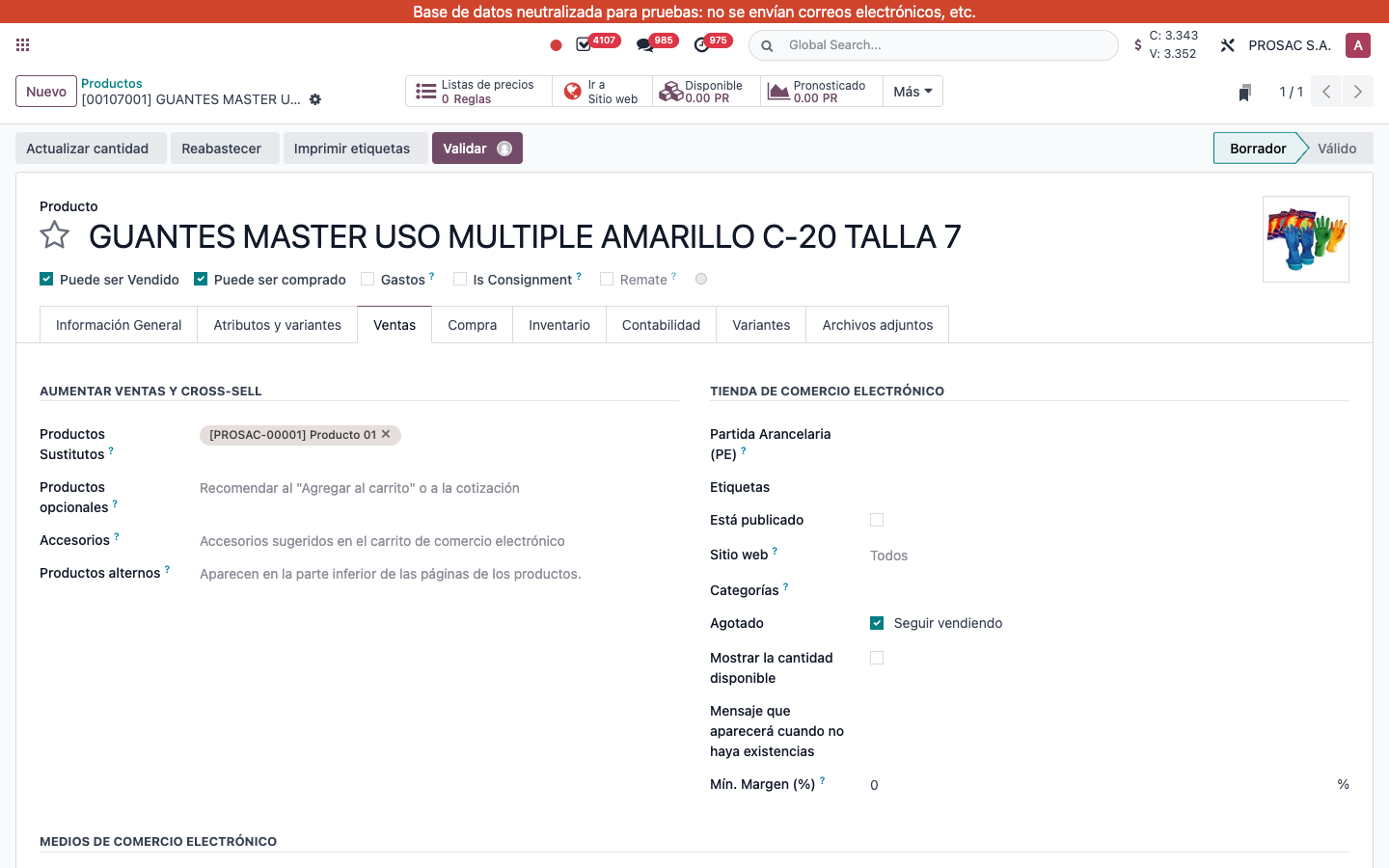
Open the product template. On the Ventas tab, under cross-sell, set Productos Sustitutos (tags; no create from the widget). The field shows only if the product can be sold and is storable.
Any variant of those templates can be chosen later, but only variants with available stock appear in the wizard.
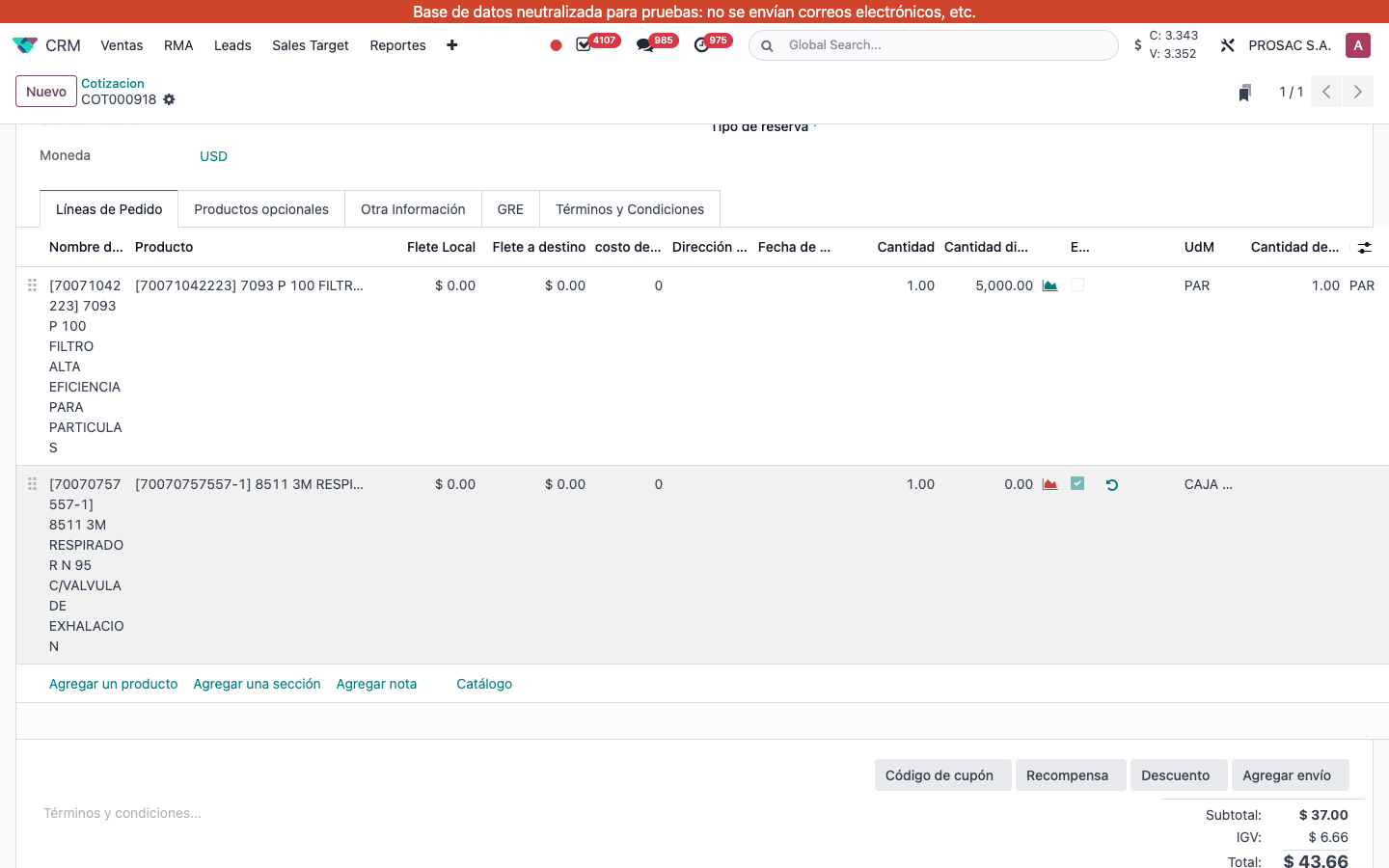
On a draft or sent quotation, a storable line whose quantity exceeds available stock is flagged Es Producto Fuera de Stock (optional column). An exchange icon (Producto de Intercambio) appears on that row. Clicking it opens the wizard for that line. If the template has no substitutes, Odoo raises: add a substitute on that product template.
COT000918 Líneas de Pedido. Column Es Producto Fuera de Stock and exchange icon on the 3M respirator with 0 available.
Wizard when sending or confirming
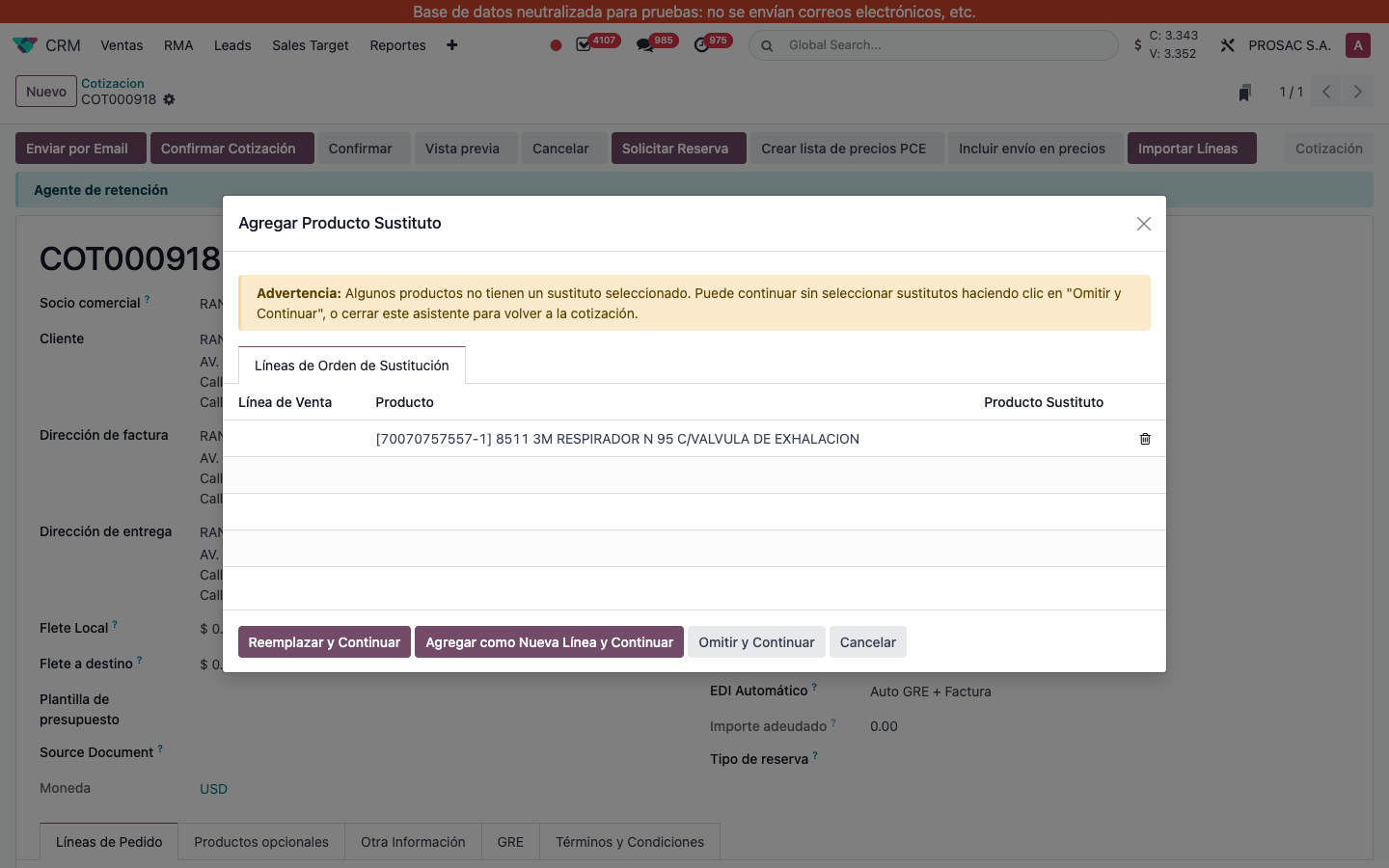
If the setting includes the current action and at least one line is out of stock, Enviar por Email or Confirmar opens Agregar Producto Sustituto instead of continuing. Pick Producto Sustituto per row (in-stock alternatives only).
Reemplazar y Continuar — swap the original product on the line.
Agregar como Nueva Línea y Continuar — keep the original and add the substitute as a new line (same qty and taxes).
Omitir y Continuar — continue without changing lines.
Cancelar — close and return to the quotation.
If a row has no substitute selected, the warning Advertencia: Algunos productos no tienen un sustituto seleccionado… is shown. Use Omitir y Continuar or Cancelar.
Wizard Agregar Producto Sustituto on COT000918 with the four footer actions and the unselected-substitute warning.
Producto sustituto en ventas
Nombre técnico: cs_sale_substitute_product
Nombre
Sale Substitute Product
Resumen
Sugiere y cambia productos sustitutos en líneas de cotización sin stock
Descripción
Permite definir productos sustitutos por plantilla y abre un asistente de reemplazo cuando una línea de cotización u orden de venta está fuera de stock.
Autor
Cloudia
Copyright
Copyright (c) 2025-Present Cloudia Systems S.A.C.
Licencia
OPL-1
Versión
18.0.1.0
Dependencias
website_sale
sale
sale_stock
1. Configuración
Abra Ajustes y busque Sustituto.
En Ventas → Producto de Venta Fuera de Stock defina Asistente de Producto Sustituto (ayuda: Abre el Asistente de Producto Sustituto en la Orden de Venta):
Cotización — al enviar la cotización.
Confirmar — al confirmar (valor en vivo).
Cotización y Confirmar — ambos.
Ajustes filtrados por Sustituto. Radio Confirmar seleccionado.
2. Instrucciones de usuario
Definir sustitutos en el producto
Abra la plantilla de producto. En la pestaña Ventas, en venta cruzada, cargue Productos Sustitutos (etiquetas; sin crear desde el widget). El campo se muestra si el producto se vende y es almacenable.
Cualquier variante de esas plantillas puede elegirse después; en el asistente solo aparecen variantes con stock.
En una cotización borrador o enviada, una línea almacenable cuya cantidad supera el stock disponible se marca Es Producto Fuera de Stock (columna opcional). Aparece el icono de intercambio (Producto de Intercambio). Al pulsarlo se abre el asistente de esa línea. Si la plantilla no tiene sustitutos, Odoo pide agregarlos en esa plantilla.
COT000918 Líneas de Pedido. Columna Es Producto Fuera de Stock e icono de intercambio en el respirador 3M con 0 disponible.
Asistente al enviar o confirmar
Si el ajuste incluye la acción y hay al menos una línea fuera de stock, Enviar por Email o Confirmar abre Agregar Producto Sustituto en lugar de continuar. Elija Producto Sustituto por fila (solo alternativas con stock).
Reemplazar y Continuar — cambia el producto de la línea.
Agregar como Nueva Línea y Continuar — deja el original y agrega el sustituto como línea nueva (misma cantidad e impuestos).
Omitir y Continuar — sigue sin cambiar líneas.
Cancelar — cierra y vuelve a la cotización.
Si una fila no tiene sustituto, aparece Advertencia: Algunos productos no tienen un sustituto seleccionado…. Use Omitir y Continuar o Cancelar.
Asistente Agregar Producto Sustituto en COT000918 con las cuatro acciones y la advertencia de sustituto no seleccionado.