Sync CRM pipeline stages with Sales Order status changes
Description
Keeps the CRM pipeline stage automatically synchronized with the linked sales order status, so opportunities always reflect quotation, confirmation, invoicing and delivery progress.
Author
Cloudia
Copyright
Copyright (c) 2025-Present Cloudia Systems S.A.C.
License
OPL-1
Version
18.0.1.0
Dependencies
sale
sale_crm
sale_stock
1. Configuration
Open CRM → Configuración → Etapas.
On each stage that should follow a sales order, set Estado OV.
Install already creates matching stages. Live values of Estado OV:
5. En negociación — draft quotation
6. Por comprar — quotation sent
Orden de venta — confirmed / locked order
OV facturada — fully invoiced
OV Entrega Parcial — partial delivery
OV Entregada — fully delivered
OV Venta Adicional — upselling
OV Cancelada — cancelled
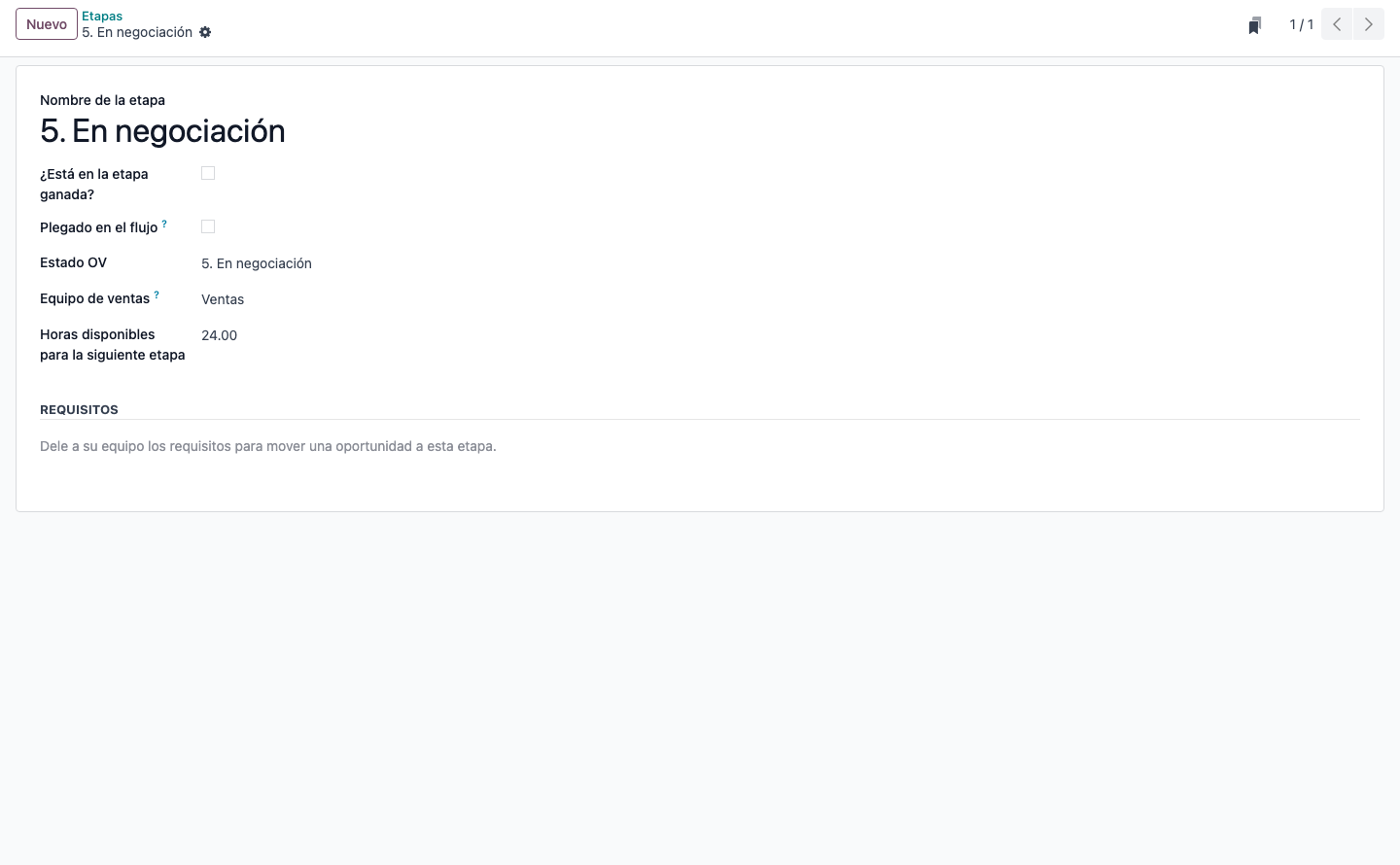
Etapa 5. En negociación. Estado OV is the same label; Horas disponibles para la siguiente etapa belongs to the SLA module.
When several stages share the same Estado OV, the opportunity moves to the first match. Keep one stage per value.
2. User instructions
Watch the opportunity follow the orden de venta
Open the opportunity in CRM.
Create a cotización with Nueva cotización (or Nueva Orden de Venta).
Estado OV (read-only, next to Etiquetas) updates by itself:
New cotización → 5. En negociación
Send the cotización → 6. Por comprar
Confirm → Orden de venta
Invoice, deliver or cancel → the matching OV … value
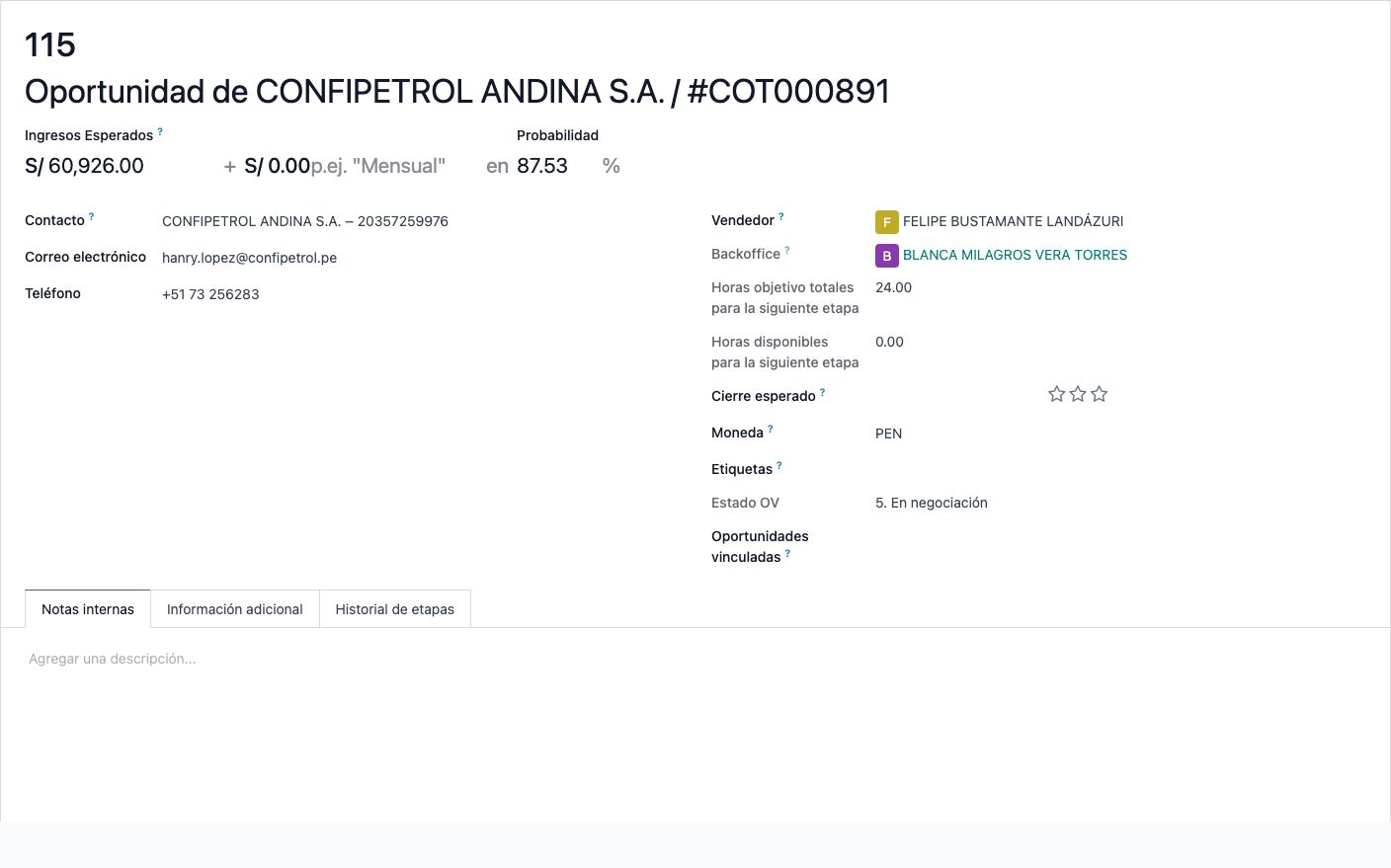
Opportunity linked to COT000891. Estado OV is 5. En negociación after the cotización was created.
Do not set Estado OV by hand. Change the orden de venta instead; the pipeline stage follows.
Sincronización de etapas CRM con la orden de venta
Nombre técnico: cs_crm_sales_stage_sync
Nombre
CRM Sales Stage Sync
Resumen
Sincroniza las etapas del flujo CRM con los cambios de estado de la orden de venta
Descripción
Mantiene la etapa del flujo CRM sincronizada con el estado de la orden de venta vinculada, para que la oportunidad refleje cotización, confirmación, facturación y entrega.
Autor
Cloudia
Copyright
Copyright (c) 2025-Present Cloudia Systems S.A.C.
Licencia
OPL-1
Versión
18.0.1.0
Dependencias
sale
sale_crm
sale_stock
1. Configuración
Abra CRM → Configuración → Etapas.
En cada etapa que deba seguir a la orden de venta, defina Estado OV.
La instalación ya crea las etapas. Valores en vivo de Estado OV:
5. En negociación — cotización en borrador
6. Por comprar — cotización enviada
Orden de venta — orden confirmada / bloqueada
OV facturada — facturada
OV Entrega Parcial — entrega parcial
OV Entregada — entregada
OV Venta Adicional — venta adicional
OV Cancelada — cancelada
Etapa 5. En negociación. Estado OV usa la misma etiqueta; Horas disponibles para la siguiente etapa es del módulo SLA.
Si varias etapas comparten el mismo Estado OV, la oportunidad pasa a la primera coincidencia. Deje un valor por etapa.
2. Instrucciones de usuario
Ver la oportunidad seguir a la orden de venta
Abra la oportunidad en CRM.
Cree una cotización con Nueva cotización (o Nueva Orden de Venta).
Estado OV (solo lectura, junto a Etiquetas) se actualiza solo:
Nueva cotización → 5. En negociación
Enviar la cotización → 6. Por comprar
Confirmar → Orden de venta
Facturar, entregar o cancelar → el valor OV … correspondiente
Oportunidad vinculada a COT000891. Estado OV es 5. En negociación tras crear la cotización.
No cambie Estado OV a mano. Cambie la orden de venta; la etapa del flujo la sigue.