Product Images & Documents from URL
Technical name: cs_product_files_images_from_url
2. User instructions
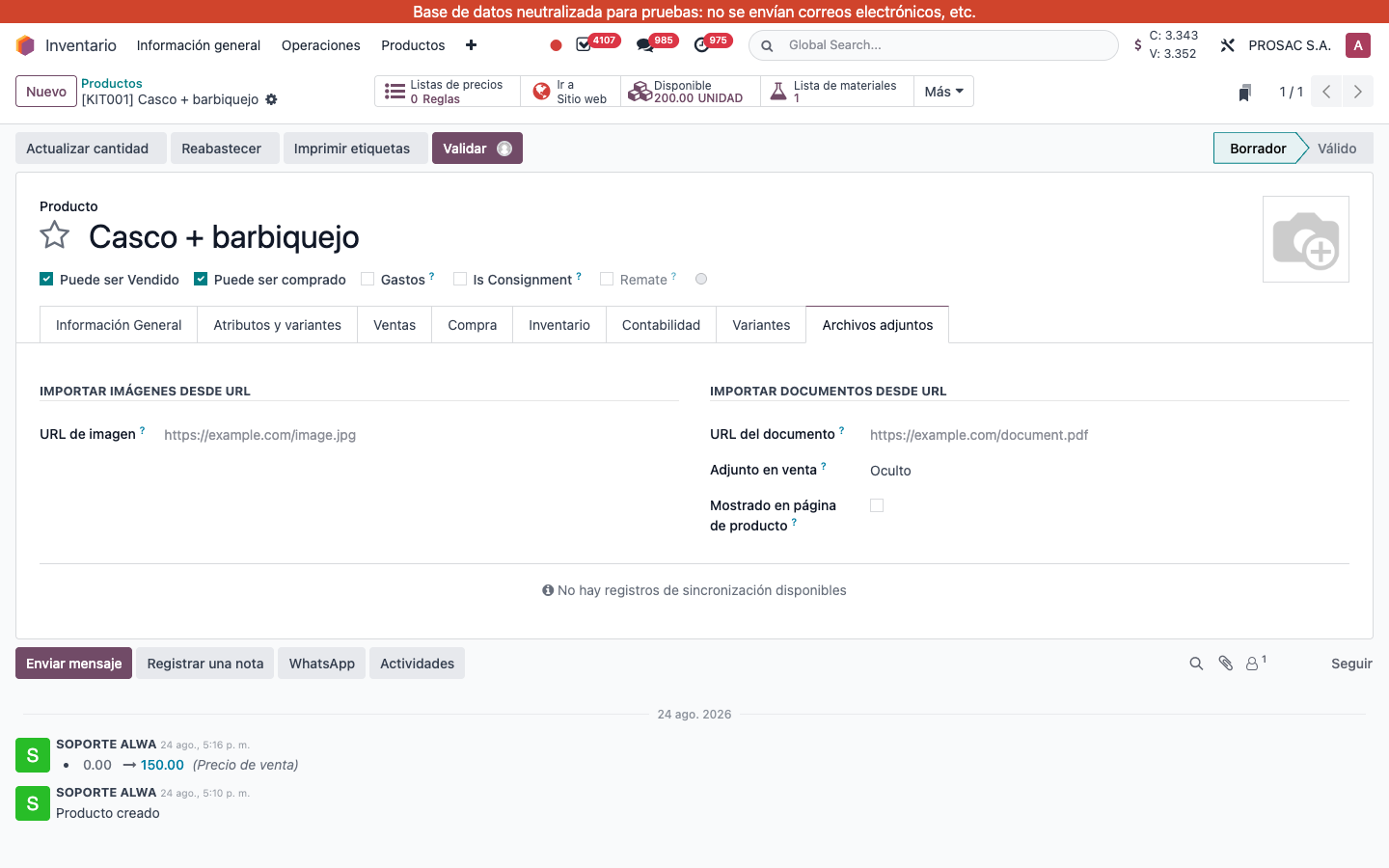
Import an image or document from a URL
- Open a product template (Inventario → Productos).
- Tab Archivos adjuntos.
- Under IMPORTAR IMÁGENES DESDE URL, paste URL de imagen (HTTP/HTTPS only; extension jpg, jpeg, png, gif, webp or svg). On an existing product the file is downloaded at once, stored as an extra product image, and the field is cleared.
- Under IMPORTAR DOCUMENTOS DESDE URL, first set Adjunto en venta (Oculto / Cotización / Orden de venta) and Mostrado en página de producto, then paste URL del documento (pdf, office, txt, zip, csv, …). Same download-and-clear behaviour; the document keeps those visibility flags.
On a new product the URL is only validated in the form; the download runs on save. The same fields work in a CSV/XLSX import (create and write). Invalid protocol, missing extension, timeout or HTTP errors raise URL no válida with the specific reason. Do not leave a live URL in the field after a successful import — it is cleared on purpose.