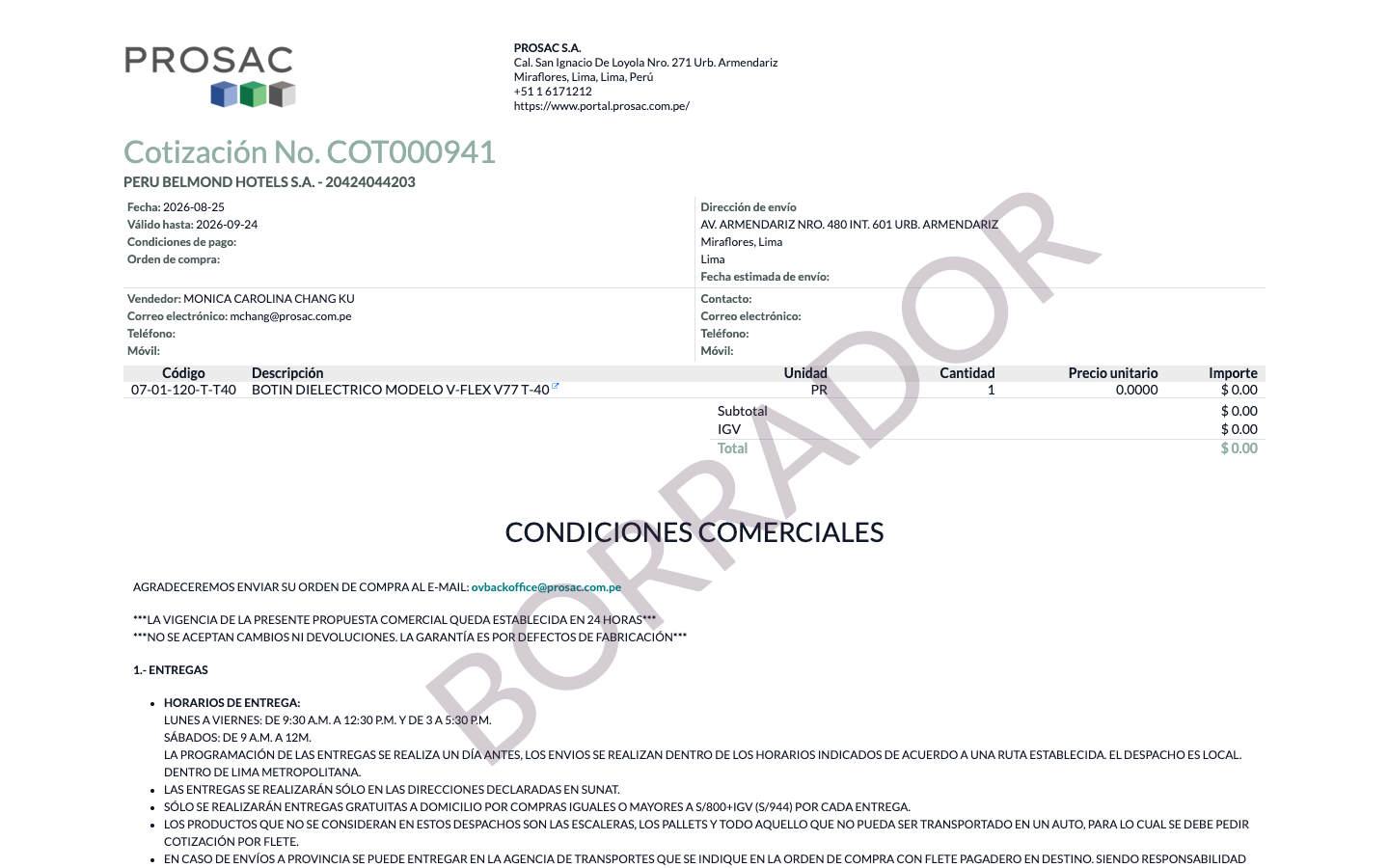
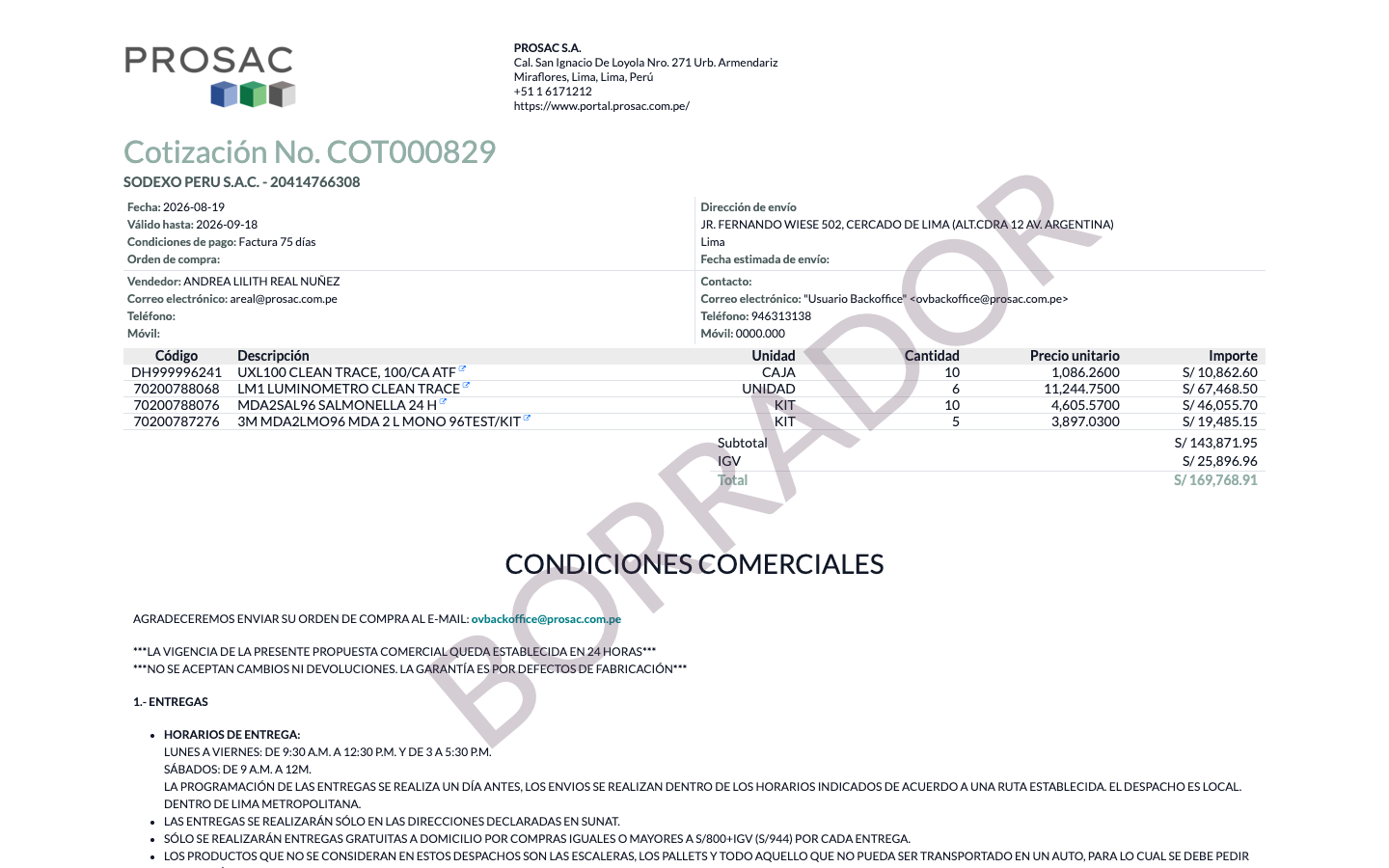
Shows a DRAFT watermark on quotation PDFs pending Studio approval
Description
Adds a DRAFT watermark to the Sales Quotation PDF report whenever the quotation still requires Studio approval before it can be sent.
Author
Cloudia
Copyright
Copyright (c) 2025-Present Cloudia Systems S.A.C.
License
OPL-1
Version
18.0.1.0
Dependencies
sale
web_studio
cs_sale_approval_base
1. User instructions
Nothing to configure. The watermark is automatic on the standard quotation PDF (Cotización).
A diagonal BORRADOR (live; English source DRAFT) is printed when:
sending requires approval and approval has not been requested yet, or
approval was requested but the applicable send Studio rules are still pending.
Confirm-only pending rules never trigger the watermark. After send-gate Studio approval is complete, print or preview again — the overlay is gone.
Open the cotización in Ventas.
Use Vista previa or print the quotation PDF.
If the send gate is still open, the report shows BORRADOR across the page.
Cotización No. COT000941. Diagonal BORRADOR overlay while send approval is still required and not requested.Cotización No. COT000829 (credit approval requested, send gate still pending). Same BORRADOR watermark.
Marca de agua BORRADOR en el PDF de cotización
Nombre técnico: cs_sale_approval_pdf
Nombre
Quotation PDF Draft Watermark
Resumen
Muestra una marca de agua BORRADOR en el PDF de la cotización pendiente de aprobación de Studio
Descripción
Añade la marca BORRADOR al reporte PDF de cotización mientras la cotización aún requiere aprobación de Studio para poder enviarse.
Autor
Cloudia
Copyright
Copyright (c) 2025-Present Cloudia Systems S.A.C.
Licencia
OPL-1
Versión
18.0.1.0
Dependencias
sale
web_studio
cs_sale_approval_base
1. Instrucciones de usuario
No hay nada que configurar. La marca es automática en el PDF estándar de Cotización.
Se imprime un BORRADOR diagonal cuando:
enviar exige aprobación y todavía no se ha solicitado, o
ya se solicitó pero las reglas de Studio de envío siguen pendientes.
Las reglas pendientes solo de confirmar no activan la marca. Cuando Studio aprueba el envío, vuelva a previsualizar o imprimir: el overlay desaparece.
Abra la cotización en Ventas.
Use Vista previa o imprima el PDF.
Si la barrera de envío sigue abierta, el reporte muestra BORRADOR.
Cotización No. COT000941. Overlay BORRADOR mientras falta solicitar la aprobación de envío.Cotización No. COT000829 (aprobación de crédito solicitada, envío aún pendiente). Misma marca BORRADOR.