Special Customer Pricing (SCP)
Technical name: cs_pricelist_cost
1. Configuration
- Studio approval is installed on Confirm (
action_make_approved). Users who confirm need the Studio approval group configured for that rule. - Daily cron Lista de precios SCP: Rechazar artículos de la lista de precios SCP vencidos unapproves expired lines. On this database it is inactive — turn it on if you want expiry to drop lines automatically.
- Only Administrators and Sales Managers can delete SCP pricelists and lines.
2. User instructions
Create and approve an SCP pricelist
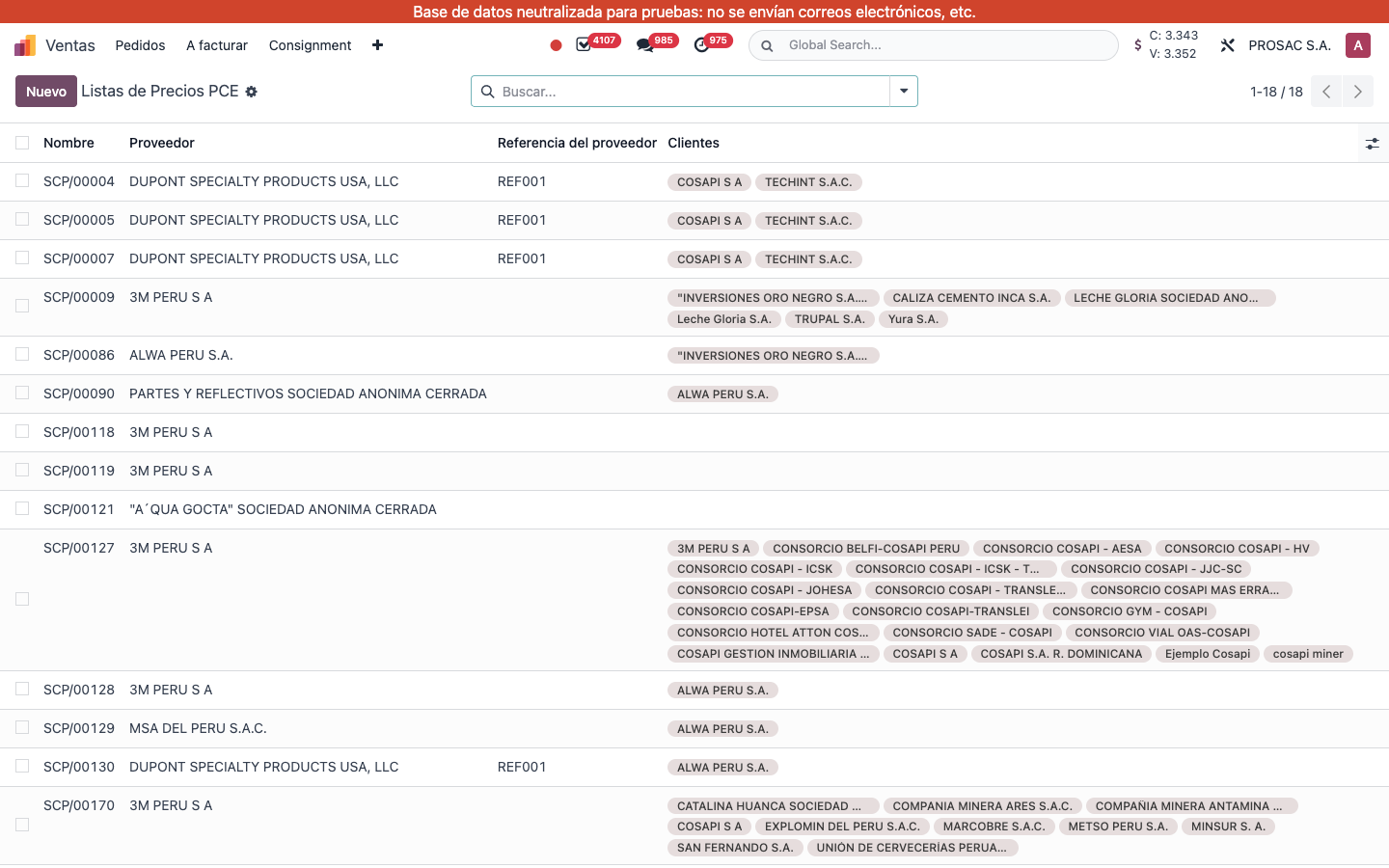
- Open Ventas → Productos → Listas de Precios PCE.
- Click Nuevo. Sequence names the record (SCP/00009, …).
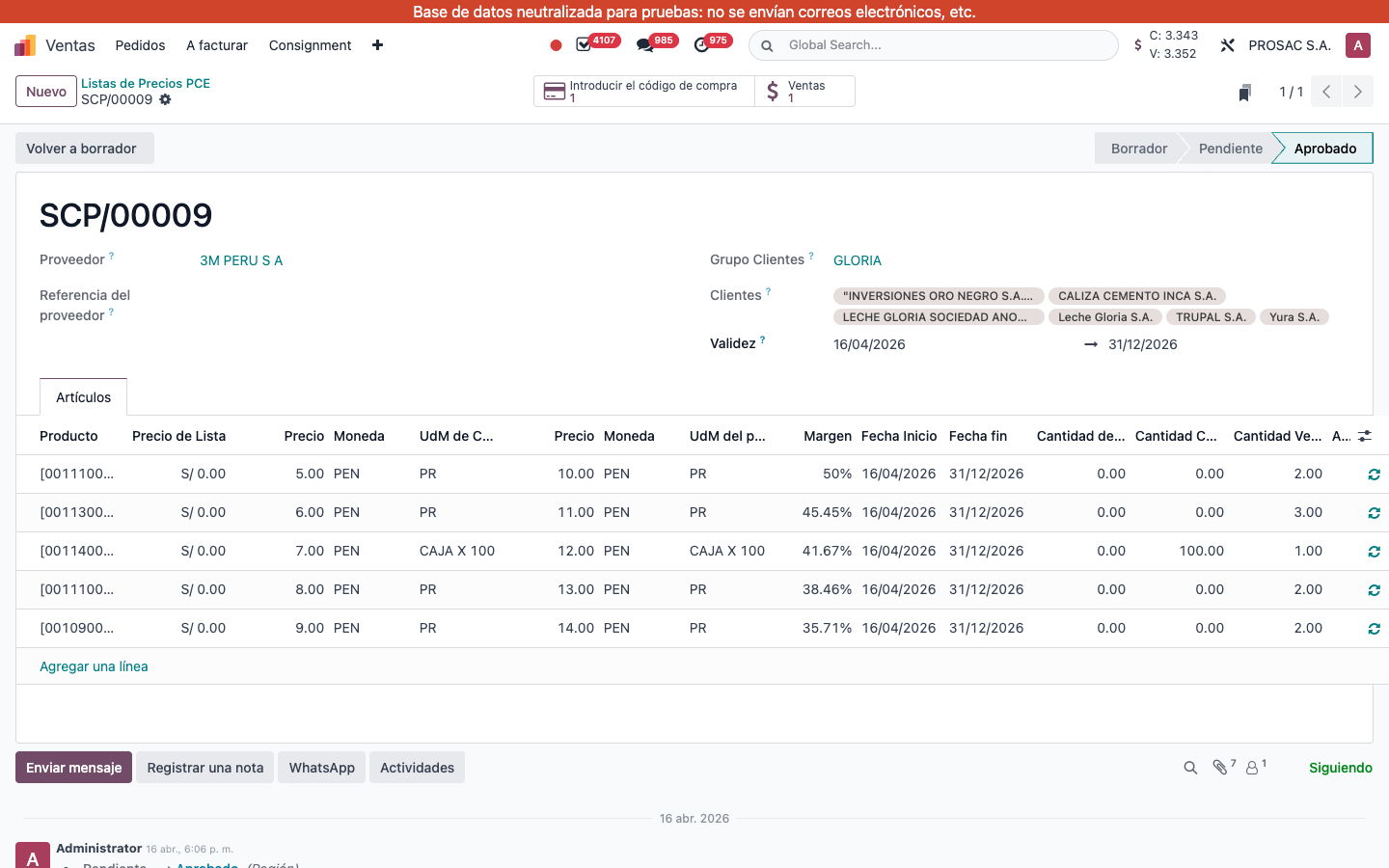
- Set Proveedor, optional Referencia del proveedor, optional Grupo Clientes, required Clientes (companies), and Validez (Fecha Inicio – Fecha fin).
- On tab Artículos add lines: product, Precio de Compra (shown as cost) and currency, purchase UdM, sell Precio de Venta and currency, product UdM, dates. Margen is computed. Cantidad Comprada / Cantidad Vendida are informational.
- Status bar: Borrador → Pendiente → Aprobado. Click Confirm (Studio may ask for approval). Volver a borrador reopens it.
- On a line, Sales Managers can approve/reopen the line (check / refresh icons) independently.
Create SCP from a cotización
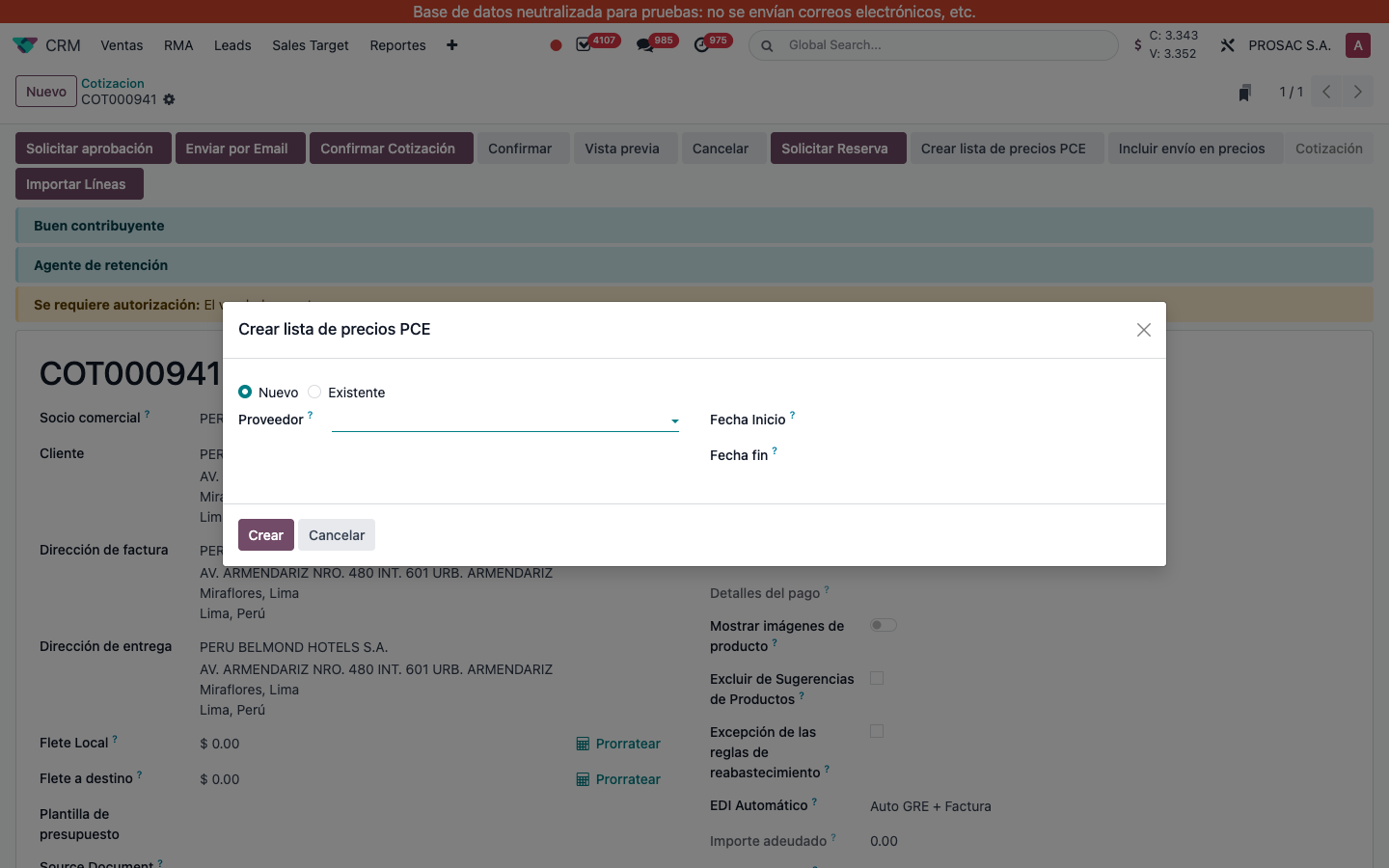
- On a cotización in Borrador or sent, click Crear lista de precios PCE.
- Choose Nuevo or Existente (Enlace a la lista de precios).
- Pick Proveedor. For new: Fecha Inicio and Fecha fin, then Crear. For existing: pick Lista de precios PCE and Link.
Unapproved SCP lines on the orden de venta are highlighted. Optional column SCP on order lines. Smart button Cantidad de PCE opens linked lists.
One SCP per customer
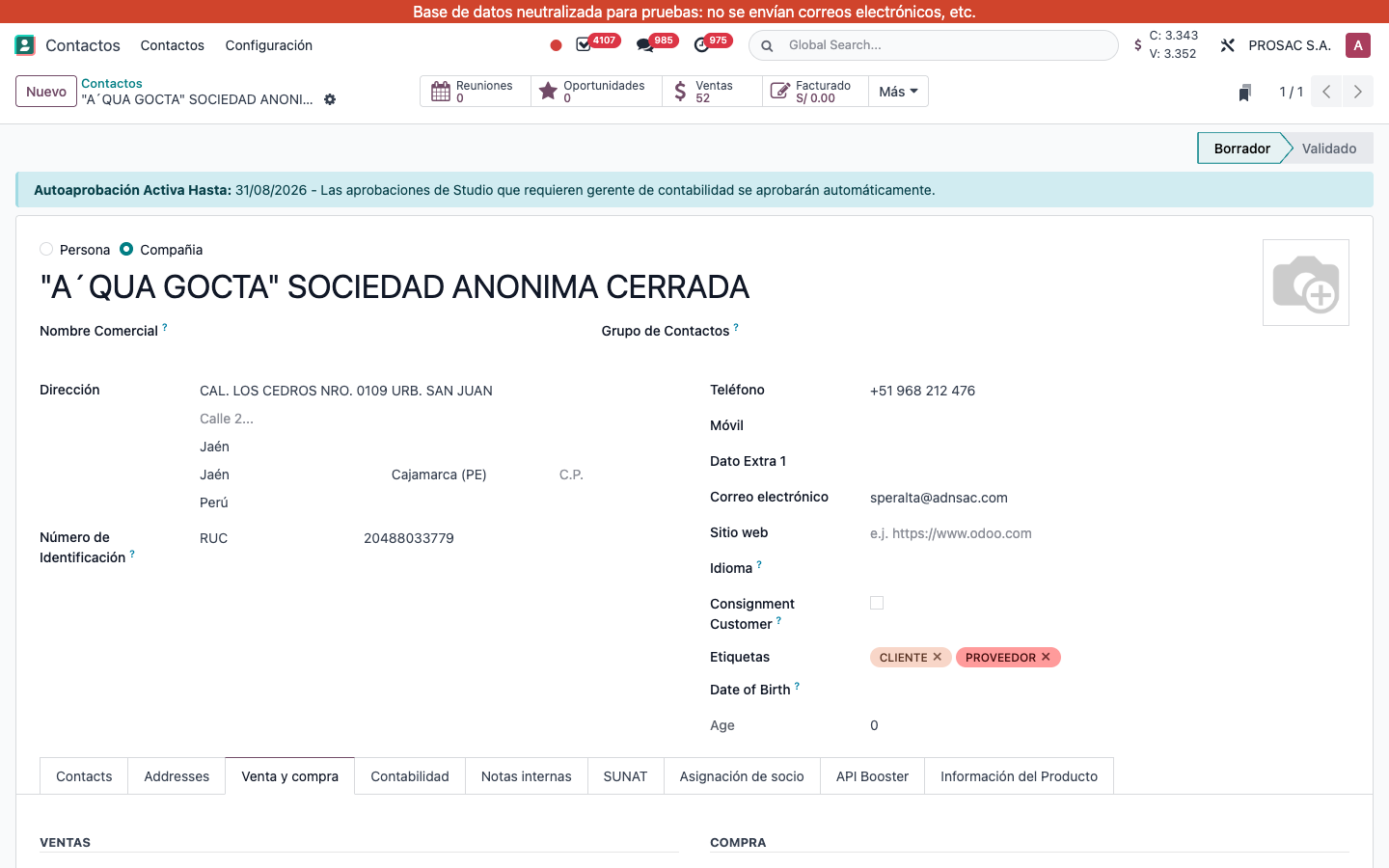
On the contact, tab Venta y compra, purchase group: Permitir solo un SCP limits the customer to a single active agreement. Smart button SCP Pricelists opens the lines.
Prices on sales and purchases
Matching approved SCP lines set cost and sell price on sale order lines, and cost on purchase order lines (demand can split per SCP customer at procurement). On the OC, optional columns: SCP Ref (Linea de lista de precios PCE), Customer (Compra a precio especial para el cliente), Source Sale Line (Línea de venta de origen).
Reports
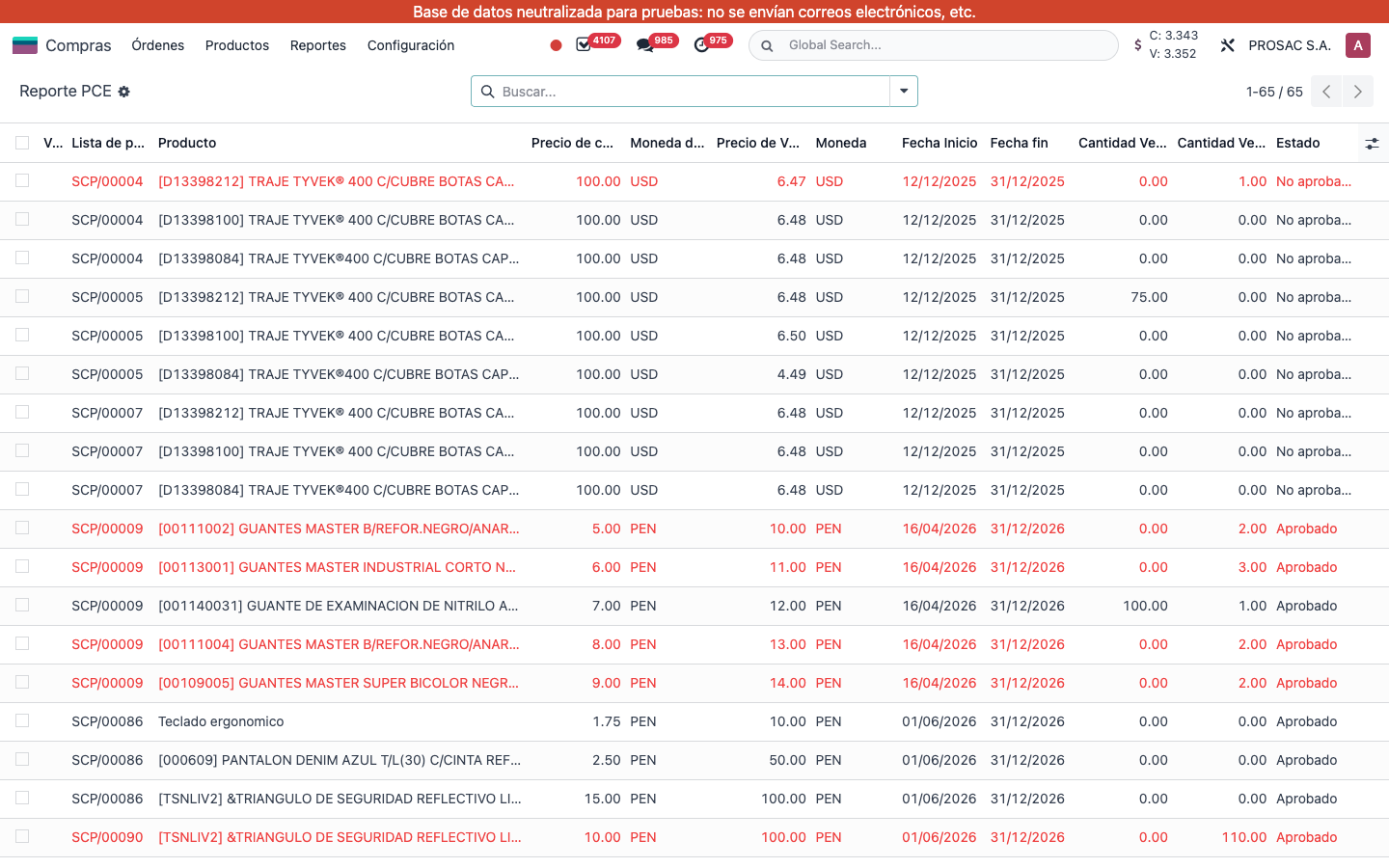
- Compras → Reportes → Reporte PCE (also Inventario → Reportes): oversold lines in red; filters Not Approved / Approved / Is Oversold.
- Ventas → Informes → Líneas de la lista de precios de SCP: approved lines with bought/sold qty.
CRM also has Lista de precios pointing at standard pricelists (not SCP).